Yes — you can deliver episodes to a controlled audience through a private podcast feed right now. The mechanics are straightforward: create a private RSS feed, restrict access with unique or tokenized URLs, and push episodes directly into the podcast apps your subscribers already use. No custom app required, no proprietary player to build.
The fastest path to launch: pick a podcast host that generates per-subscriber RSS links, connect a payment processor like Stripe or a membership platform, automate your invite emails, and write clear app-setup instructions for your listeners. G45-hero-cast does exactly this every week for families receiving personalized superhero episodes.
Here is what you need to decide before you start:
- Access model: per-subscriber unique feeds (best for revocation and analytics) or a single shared private feed (simpler, but harder to revoke individual access)
- Payment integration: Stripe direct, a membership platform, or a gifting checkout
- Invite automation: manual for small lists, webhook or Zapier for anything that scales
Table of Contents
- What is a private podcast feed, and how does it differ from public feeds?
- When does a private podcast feed make sense for your show?
- How do private RSS feeds actually work?
- How to set up a private podcast feed for your show
- How listeners add a private RSS feed to common podcast apps
- Privacy and security: what happens when someone shares your feed link?
- Scaling and operations: managing hundreds of private subscribers
- What does private podcast hosting typically cost?
- Common problems and quick fixes for private RSS feeds
- How G45-hero-cast delivers weekly personalized episodes via private feeds
- Key Takeaways
- Why private feeds are the right call for personalized kids' audio
- G45-hero-cast brings this entire workflow to weekly kids' podcasts
- Useful sources and platform docs to read next
What is a private podcast feed, and how does it differ from public feeds?
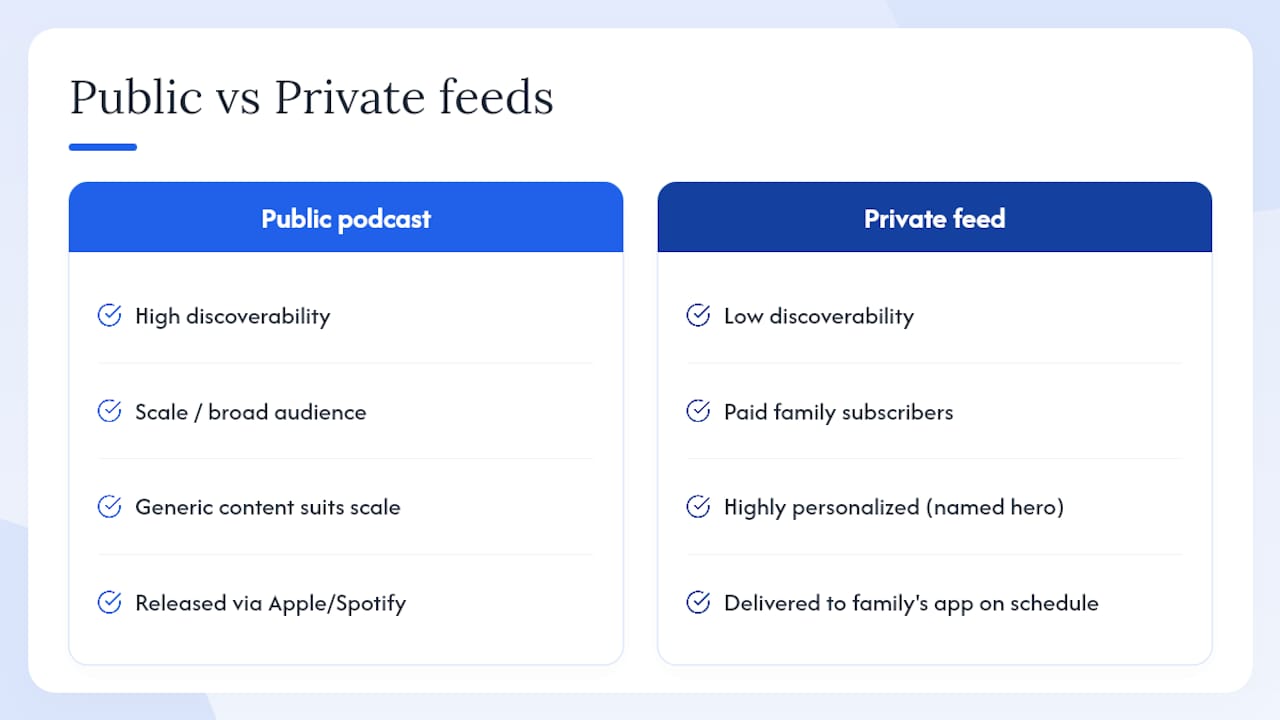
A private podcast feed is a standard RSS feed delivered with access control. Episodes live at a URL that requires a unique token or authentication, so only the people you invite can subscribe. The feed never appears in Apple Podcasts search, Spotify's directory, or any public podcast index.
Public feeds are submitted to directories intentionally. Anyone can find them, subscribe, and listen. Private feeds skip that submission step entirely. The RSS format is identical — the difference is purely in who can reach the URL and whether it is indexed.
Common misconceptions creators run into:
- "Private feeds require a custom app." They do not. Listeners add the URL to apps they already own.
- "Private podcasts are a niche workaround." They are standard podcast RSS with access control — the same technology public shows use, minus the directory listing.
- "One private feed works for everyone." A single shared URL is convenient but gives you no way to cut off one subscriber without resetting the whole feed.
Pro Tip: Test your private feed URL in at least two different podcast apps before you send your first invite. What works in Apple Podcasts may behave differently in Overcast or Pocket Casts.
When does a private podcast feed make sense for your show?
Private feeds fit any situation where you need to control who listens. The use cases break into a few clear categories:
- Patron-only content: — creators reward top supporters with exclusive episodes
The access model decision follows directly from the use case. If you need to revoke one person's access without affecting anyone else, per-subscriber unique feeds are the only real option. If your audience is a closed cohort (a corporate team, a single classroom) that will never change, a single shared private feed is simpler to manage.
For subscription and gifting models, combining a private RSS feed with a membership or gift checkout means access provisions automatically when payment clears. That workflow is exactly how family-focused products like G45-hero-cast handle weekly personalized episodes for siblings and gift recipients without any manual steps.
How do private RSS feeds actually work?
Every private feed relies on a token embedded in the RSS URL. That token tells the hosting server this request is authorized. Strip the token, and the server returns nothing.
Per-subscriber tokenized feeds give each listener a unique URL. The host generates it, stores the mapping between token and subscriber, and serves only that subscriber's authorized feed. You can revoke one token without touching anyone else's access. You can also see exactly which token is downloading which episodes.
Single shared private feeds use one URL with one token for the whole audience. Simpler to set up, but if someone shares the link, you have to regenerate the token for everyone and resend instructions to your entire list.
Podcast apps consume private feeds the same way they consume public ones: they poll the RSS URL on a schedule and download new episodes. The difference is that the app stores your token-embedded URL locally. If a listener's app caches the old URL after a token reset, they will get a feed error until they re-add the updated link.
Typical integration stack:
- Hosting platform generates and manages RSS tokens
- Payment processor (Stripe) or membership platform triggers access provisioning
- Automation layer (Zapier or native webhooks) handles invite emails and lifecycle events (new subscriber, cancellation, renewal)
- Listener receives an email with their unique feed URL and app-setup instructions
Scaling manual subscriber management is unsustainable past a few dozen listeners. Automation is not optional once you grow.
App support varies. Apple Podcasts, Overcast, Pocket Casts, and Castbox all support manual RSS entry. Spotify's paid podcast model uses private RSS but has platform-specific submission requirements and display behavior that differs from other apps. Always verify app behavior before you promise a specific listening experience to subscribers.
How to set up a private podcast feed for your show
-
Choose a host that supports private feeds — Look for per-subscriber URL generation, revocation controls, and native payment or webhook integrations. Hosts differ significantly on these features.
-
Create your private show — Set the feed to private during setup. Add cover art, a show description, and episode metadata as you would for any podcast. The feed just will not be submitted to public directories.
-
Connect your payment or membership system. Link Stripe directly or use a membership plugin. Automate provisioning via webhooks or Zapier so that a completed purchase immediately generates a feed link and triggers the welcome email. Manual provisioning breaks the moment you have more than a handful of subscribers.
Pro Tip: Before your public launch, run a full invite-to-listen test with someone who is not technically savvy. If they can add the feed without calling you, your instructions are good enough.
How listeners add a private RSS feed to common podcast apps
The listener flow is always the same: receive the invite email, copy the unique feed URL, open their podcast app, and add the feed by URL. The friction lives in step three, because every app handles manual RSS entry differently.
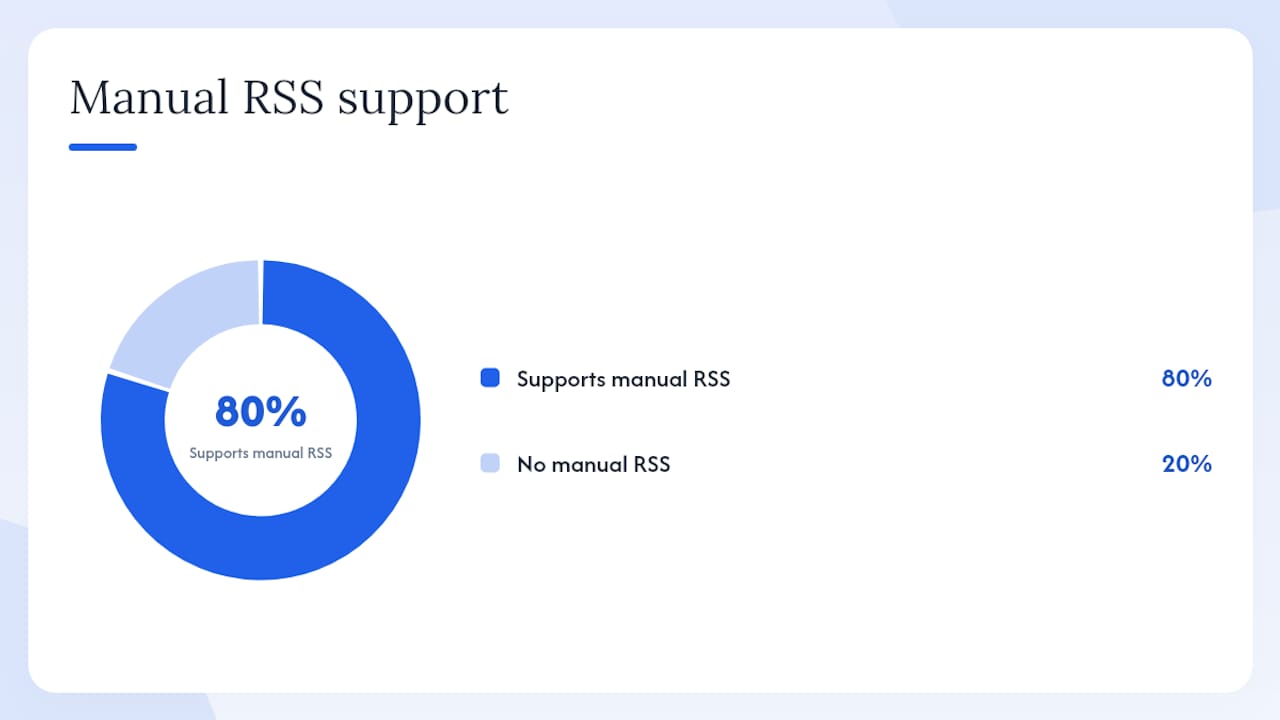
| App | How to add a private RSS feed | Known limitations |
|---|---|---|
| Apple Podcasts | Library → Add a Show by URL → paste feed URL | Requires recent iOS or macOS versions; no Android support |
| Overcast | Add Podcast → paste URL directly | Reliable manual RSS; no known private feed issues |
| Pocket Casts | Discover → search icon → paste URL | Works on iOS and Android; token URLs supported |
| Castbox | Explore → search bar → paste URL | Supports manual RSS; occasional caching delays |
| Spotify | Platform-specific submission required | Cannot add arbitrary RSS by URL; creator must submit through Spotify's paid podcast program |
What to include in your welcome email:
- Their unique private feed URL (linked and in plain text so they can copy it)
- Step-by-step instructions for the two or three apps your audience uses most
- A note that the link is personal and should not be shared
- A direct support email or help page link
- What to do if the feed shows an error (usually: copy the URL again carefully, or contact support for a fresh link)
Keep the email under 200 words. Parents adding a kids' podcast feed on a Sunday morning do not want a tutorial. They want three steps and a phone number.
Privacy and security: what happens when someone shares your feed link?
A shared private feed URL is a real problem for paid content. If one subscriber posts their unique link publicly, anyone with it can listen for free until you catch it.
Protections to put in place:
- Short-lived tokens — where your platform supports them, forcing periodic re-authentication
Patreon's private audio RSS treats link sharing as a terms violation and allows creators to reset a patron's link. That reset invalidates the old URL immediately. The patron gets a new link; anyone who had the old one gets a feed error.
When you reset a subscriber's feed, communicate it proactively. Send a short email explaining that their link was refreshed for security and include the new URL with updated app instructions. Subscribers who do not get that email will open a support ticket.
Pro Tip: Set a calendar reminder to audit your download logs monthly. A subscriber with download counts far above your episode count is either a bot or a shared link. Revoke and regenerate before it spreads.
Scaling and operations: managing hundreds of private subscribers
Manual subscriber management hits a wall fast. At 50 subscribers, a spreadsheet works. At 500, it does not.
Platforms that support per-subscriber unique RSS links typically offer CSV bulk upload for migrating existing lists, API access for programmatic provisioning, and native integrations with Stripe and membership tools. Zapier fills the gaps between platforms that do not connect natively.
Operational workflows to build:
- Grant access: purchase or gift redemption triggers feed generation and welcome email automatically
- Revoke access: cancellation or chargeback triggers token deactivation immediately
- Renew access: subscription renewal extends the token's validity without requiring the subscriber to re-add the feed
- Bulk import: CSV upload for moving an existing subscriber list to a new host
Metrics worth tracking for private feeds:
- Active subscribers by feed token
- Downloads per subscriber per episode (flags sharing anomalies)
- Churn rate and cancellation timing
- Bounce rate on welcome emails (a high bounce means your invite emails are hitting spam)
Anticipate app-compatibility questions as your list grows. Prepare short, platform-specific help articles with screenshots. A two-paragraph help doc for Apple Podcasts and another for Pocket Casts will cut your support volume noticeably.
What does private podcast hosting typically cost?
Pricing has three layers: the hosting platform fee, per-subscriber costs, and payment processing.
| Cost component | Typical range | Notes |
|---|---|---|
| Host base fee | $19–$99/month | Varies by storage, bandwidth, and private feed features |
| Per-subscriber fee | $0–$0.50/subscriber/month | Some hosts include unlimited subscribers; others charge per seat |
| Payment processing (Stripe) | Standard payment processing fees | Standard Stripe rate for US transactions |
| Email delivery | $0–$20/month | Often included in host or membership platform |
Monetization models for private feeds fall into four shapes: monthly subscriptions, annual plans (usually at a discount), one-off gift purchases, and family or sibling bundles. Annual plans reduce churn and improve cash flow. Gift purchases require a redemption flow that provisions access on the recipient's email, not the buyer's.
For creators running personalized weekly content, the per-subscriber fee structure matters more than the base fee. A host charging $0.50 per subscriber per month at 1,000 subscribers costs $500/month in subscriber fees alone, before the base plan. Run those numbers before you commit to a platform.
Common problems and quick fixes for private RSS feeds
Feed not updating in the app: the app's cache has not refreshed. Ask the subscriber to manually refresh or delete and re-add the feed.
App says "invalid feed": the subscriber copied the URL incorrectly (a common issue with long token strings). Send the URL as a clickable link and in plain text. If the URL is correct, check whether the host's server is returning a valid XML response.
Subscriber lost their link: revoke the old token, generate a new one, and send this email:
Duplicated episodes in the app: usually caused by a feed URL change that the app treated as a new show. The subscriber needs to delete the old feed and add the new URL fresh.
Token revoked error: the subscription lapsed or was manually revoked. Confirm the subscriber's account status before reissuing a link.
Keep a short internal knowledge base with screenshots for Apple Podcasts, Overcast, and Pocket Casts. Those three cover the majority of private podcast listeners, and having the docs ready cuts your response time to minutes.
How G45-hero-cast delivers weekly personalized episodes via private feeds
G45-hero-cast's workflow is a clean example of private feed delivery at the subscription scale. Here is how it runs:
- A parent or grandparent purchases a monthly or annual subscription at checkout, providing the child's name, age, and interests
- Payment processing triggers automated provisioning: a unique private RSS feed link is generated for that subscriber
- Every Sunday, a new personalized superhero episode publishes to the feed, and the subscriber receives an email notification
- Parents add the feed URL to their preferred podcast app once; new episodes appear automatically each week
- Sibling and family bundle plans provision separate feeds per child, each with its own token and revocation control
- Gift subscriptions generate a redemption link the recipient uses to activate their own feed
The personalized superhero podcast model works precisely because private feeds deliver into apps parents already use, without requiring a new account, a proprietary player, or any technical setup beyond adding a URL. The weekly cadence and family listening time are the product. The private feed is the delivery infrastructure that makes it reliable.
Pro Tip: For family-focused private podcast products, pair the RSS feed with a simple web portal where parents can update their child's details, manage billing, and retrieve their feed link. Most parents will never need it, but having it available eliminates the most common support requests.
Key Takeaways
A private podcast feed is standard RSS with access control: the technical setup is straightforward, but the operational decisions around tokens, automation, and listener instructions determine whether it scales.
| Point | Details |
|---|---|
| Choose your access model first | Per-subscriber tokenized feeds allow individual revocation; a single shared feed does not. |
| Automate from day one | Connect Stripe or your membership platform via webhooks or Zapier before you launch. |
| Protect paid content actively | Monitor download anomalies, revoke compromised tokens immediately, and use HTTPS on all feed URLs. |
| Write clear listener instructions | App-specific setup steps in your welcome email cut support volume significantly. |
| G45-hero-cast as a workflow model | Weekly personalized episodes provision automatically on purchase and deliver to parents' apps every Sunday via a unique private feed. |
Why private feeds are the right call for personalized kids' audio
The conventional wisdom in podcasting is that discoverability is everything. Get into Apple Podcasts, get into Spotify, grow your audience. That logic makes sense for shows chasing scale. It makes no sense for personalized content.
A superhero episode where your child is the hero by name is not a product that benefits from being findable by strangers. Its value is entirely in the specificity. The private feed is not a limitation here — it is the feature. It keeps the content where it belongs: with the family that paid for it, in the app they already use, arriving on a schedule they can count on.
What creators underestimate about private feeds is the UX burden they shift to the listener. A public podcast is frictionless: search, tap, subscribe. A private feed requires the listener to copy a URL, open an app, find the right menu, and paste it correctly. For a technical audience, that is nothing. For a parent setting this up on a Sunday morning for a four-year-old, it is the moment your product either earns trust or loses it.
That is why the welcome email matters more than the feed itself. The RSS infrastructure can be perfect, and you will still get support tickets if your instructions assume too much. Write for the least technical person in your audience, test it with someone who does not know what RSS stands for, and you will spend your time on the product instead of on support.
The G45-hero-cast model — automated provisioning, weekly delivery, per-subscriber revocation, and family bundle support — is a pattern any creator running a subscription-based private show can adapt. The technology is not proprietary. The discipline of building the listener experience around the parent's actual context is what separates a product that works from one that frustrates.
G45-hero-cast brings this entire workflow to weekly kids' podcasts
Every step in this guide is live inside G45-hero-cast's subscription model. A parent or grandparent purchases a plan, and within minutes a unique private feed is provisioned and a welcome email lands with clear app-setup instructions. No manual work, no waiting.
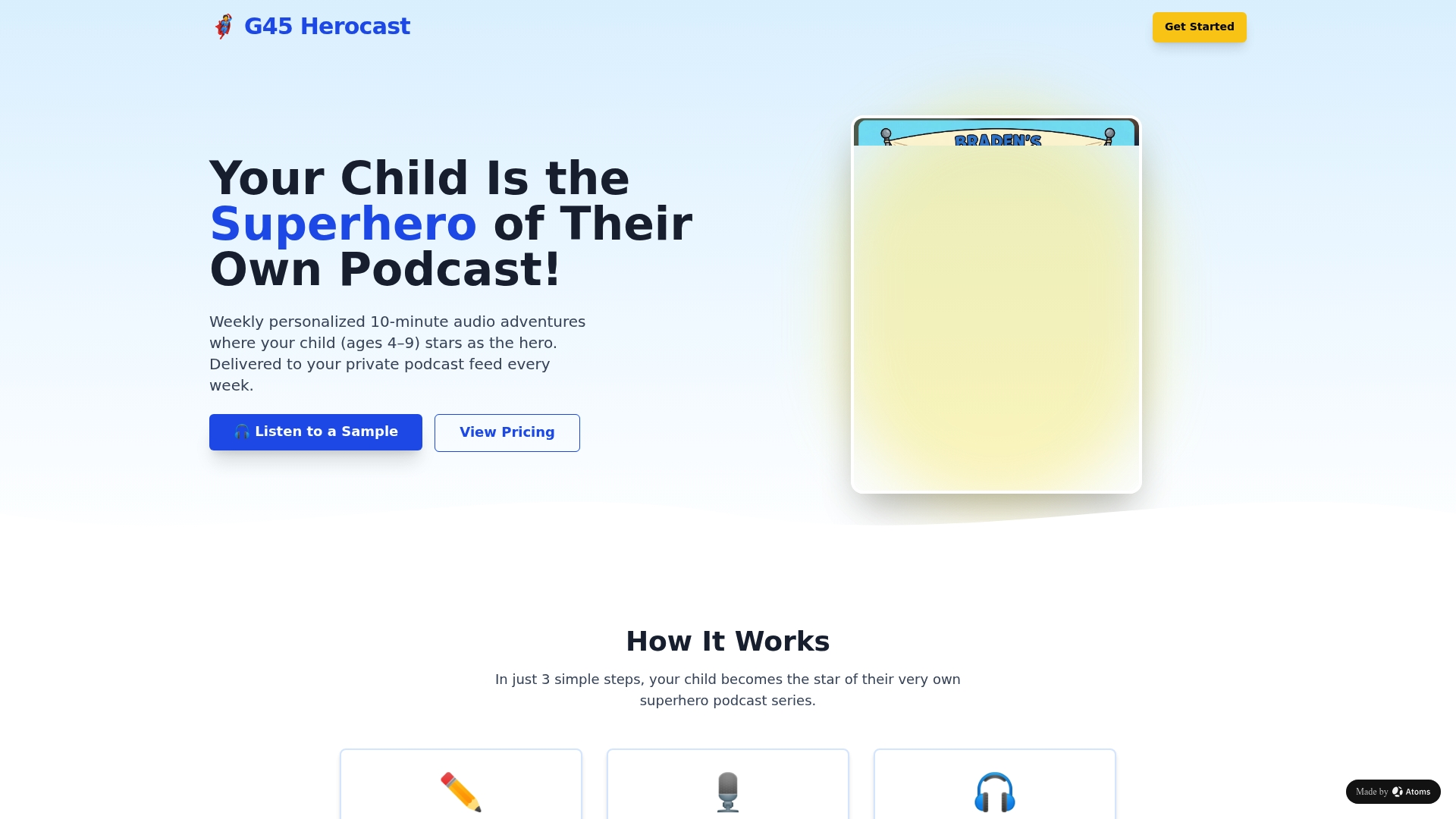
Each week, a new personalized superhero episode publishes to that private feed automatically. The child hears their own name, their interests woven into the adventure, their siblings included if the family chose a bundle plan. Gift subscriptions work the same way: the buyer checks out, the recipient gets a redemption link, and the feed activates on their email.
The private RSS infrastructure handles revocation, renewal, and weekly delivery without any intervention. What G45-hero-cast adds on top is the content: a custom audio adventure built around your child, every single Sunday.
Start a subscription or send it as a gift at G45-hero-cast and see the welcome email and feed setup flow for yourself.
Useful sources and platform docs to read next
- How to Create a Private Podcast in 2026 - Transistor
- How to Create a Private Podcast: Use Cases, Tools & Pro Tips - Zencastr
- Private Podcasts Explained: Why, When & How To Create One - Riverside
- Create private podcasts for memberships, training, course - Transistor features
- How to create a private RSS feed for your podcast - Beamly
- How to use your audio RSS - Patreon support
- Paid podcasts: Using your private RSS feed - Spotify support
- Private podcasts: FAQs - Captivate