A private RSS feed is a non-public RSS URL that delivers member-only podcast episodes to authorized listeners instead of the general public. Parents managing kids' subscription content, podcasters running Patreon-style tiers, and internal teams distributing confidential audio all rely on the same basic mechanism: a feed URL that isn't searchable and isn't meant to be shared.
The fastest paths to get one:
- Use a hosted creator platform that issues a unique feed per subscriber automatically when someone pays or joins.
- Self-host with a signed-URL pattern, where a token in the link grants access and can expire or be revoked.
Either route works with the podcast apps your audience already uses. Apple Podcasts, Overcast, and Pocket Casts all accept a private RSS feed the same way they accept a public one, as long as it arrives as a complete, valid URL.
Key Takeaways
Per-subscriber private RSS feeds give podcasters the revocation control and listener analytics that shared links can't match, while remaining fully compatible with standard podcast apps.
| Point | Details |
|---|---|
| Definition matters | A private RSS feed is a non-public URL, not a password-protected file most apps can't read anyway. |
| Choose per-subscriber by default | Individual feeds let you revoke one leaked link without resetting access for every paying subscriber. |
| Security lives in the token | Signed URLs, short-lived JWTs, and signed cookies replace passwords as the real access control. |
| Monitor, don't just deploy | Track device and geographic spikes per subscriber ID so you catch sharing before it spreads. |
| Done-for-you option exists | G45-hero-cast delivers a private feed automatically with every weekly personalized kids' podcast subscription. |
Table of Contents
- How a Private RSS Feed Differs From a Standard One
- Shared Feed vs. Per-Subscriber Feeds: Which Design Fits?
- How to Actually Build a Private RSS Feed
- Getting Listeners Onto a Private Feed Without Confusion
- Locking Down the Feed: Tokens, Expiry, and Revocation
- A Developer Checklist for Shipping This Right
- How G45-hero-cast Handles Private Feed Delivery for Families
- Frequently Asked Questions
- Sources
How a Private RSS Feed Differs From a Standard One
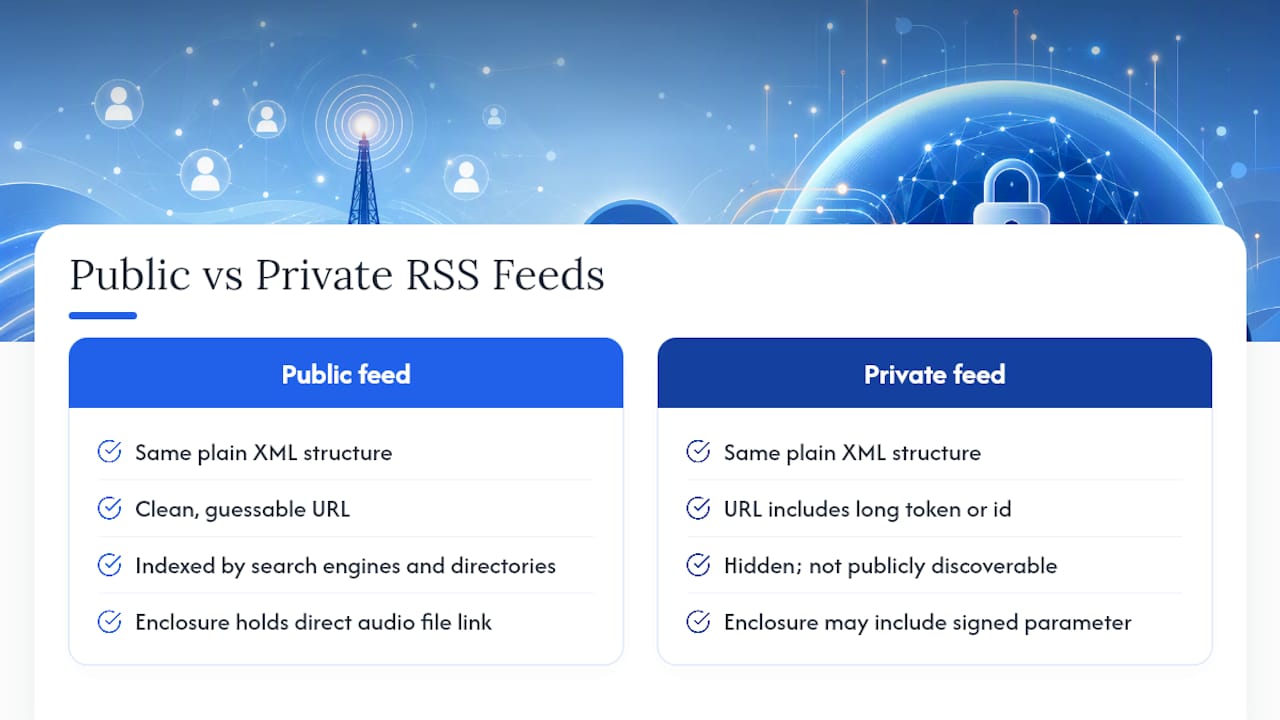
A standard RSS feed is a plain XML file that any podcast app can find and poll on a schedule, pulling in new episodes as enclosures (the actual audio file links) get added. It's built to be public. Search engines index it, directories list it, and anyone with the URL can subscribe.
A private feed uses the same XML structure but hides it behind something that isn't guessable: a long token, a per-subscriber identifier, or both. The feed itself isn't different technically. What changes is who can find the URL and whether the platform can tell one listener's copy from another's.
Picture two items in a feed. A public episode sits at a clean URL anyone can hit. A members-only episode sits behind a feed URL containing a string like ?token=8f3a..., and the enclosure link inside that episode item might carry its own signed parameter too. Same podcast, same app experience, completely different access control underneath.
Shared Feed vs. Per-Subscriber Feeds: Which Design Fits?
Two models dominate. A single shared private feed hands the same URL to every paying subscriber. A per-subscriber feed generates a distinct, unique URL for each person who joins.
The trade-offs split cleanly:
- Shared feed: simple to set up, but you can't revoke one subscriber without resetting the link for everyone.
- Per-subscriber feed: slightly more setup, but you get individual revocation and per-listener analytics.
- Shared feed: harder to trace if the URL leaks, since you don't know whose copy escaped.
- Per-subscriber feed: a leaked link points back to exactly one account.
For anything you're charging money for, per-subscriber feeds are the sane default.
Pro Tip: If you're weighing setup time against risk, remember that a shared feed only saves you effort until the first link leak. At that point you're resetting access for every paying customer at once, not just the one who shared it.
How to Actually Build a Private RSS Feed
You've got three realistic paths, and the right one depends on how much engineering time you want to spend.
Hosted platforms handle the entire flow. When someone subscribes or pays, the platform mints their personal feed URL and emails it to them automatically. You configure pricing and episode access rules; the platform handles token generation, revocation, and delivery. The tradeoff is a percentage fee and less control over the exact feed format. FeedPress supports private feeds using private keys or URL parameters and recommends serving them from a custom hostname so you control caching and security headers directly.
Newsletter and companion tools retrofit private RSS onto a publishing stack you already run. Lochy, for instance, issues an individual private feed per subscriber for paid newsletters, so a publisher can kill one person's access without touching anyone else's. This suits creators who already have an email list and want podcast delivery bolted onto it rather than rebuilt from scratch.
Self-hosted signed URLs give you full control. The pattern: generate a token (commonly an HMAC signature or a short-lived JWT), attach it as a URL parameter, and verify it at request time before serving the feed. Projects like kill-the-news on Cloudflare Workers show this can run entirely on your own domain with unguessable IDs and no third-party hosting dependency.
To set any of these up:
- Decide your gating model (shared vs. per-subscriber).
- Pick a token format and expiry window.
- Connect it to your payment or membership system so tokens issue automatically.
- Test the feed URL in at least two different podcast apps before launch.
Most apps just need a working URL. Some hosted platforms add a one-tap "Add to Apple Podcasts" button so subscribers never touch the raw link at all.
Getting Listeners Onto a Private Feed Without Confusion
Once the feed exists, subscribers need dead-simple instructions. Here's the sequence that works across nearly every app:
- Copy the private feed URL from the welcome email or account page.
- Open the podcast app and find "Add Show by URL" (Apple Podcasts, Overcast, and Pocket Casts all support this).
- Paste the URL and confirm.
- Allow episode downloads if the app defaults to streaming only, so members-only audio doesn't stall on a weak connection.
A couple of platform quirks trip people up. Spotify for Podcasters confirms private feeds are compatible with standard players, but some apps cache old credentials and won't refresh a feed that's been revoked and reissued, so a stuck subscriber may just need to remove and re-add the show.
If you're onboarding non-technical parents or casual listeners, a one-tap connect button beats a copy-paste URL every time. Pair it with a support link for the two or three apps your audience actually uses.
Locking Down the Feed: Tokens, Expiry, and Revocation
Passwords don't work here. Most podcast apps can't handle password-protected XML at all, so the entire security model has to live in the URL itself.
The practical toolkit:
- Per-subscriber URLs so a leak traces back to exactly one person.
- Signed URLs with expiry, verified using HMAC signatures.
- Short-lived JWTs for feeds that need to rotate access frequently.
- Signed cookies when you want CDN caching without exposing a static token in every request.
- Per-enclosure signed URLs so even individual episode downloads carry their own expiring signature.
On the monitoring side, watch for unusual device or geographic spikes tied to a single subscriber ID, and build an automated reset flow that kills and reissues a link the moment sharing looks likely. Keep personal information out of the URL entirely. Use opaque IDs instead of emails or names, both for CCPA-style privacy hygiene and because a readable URL is an easier one to pass around.
Pro Tip: Per-subscriber feeds aren't just about analytics. They're the only design that lets you cut off exactly one leaking link without punishing everyone else who paid for access.
A Developer Checklist for Shipping This Right
If you're building this yourself rather than renting a platform, work the checklist in order:
- Choose the gating model first: shared feed or per-subscriber.
- Set a TTL (time-to-live) policy for tokens; shorter windows mean tighter security but more re-issuance traffic.
- Pick a token format: HMAC signatures are simpler, JWS/JWT gives you structured claims.
- Decide where verification happens: edge workers (Cloudflare, Fastly) cut latency; origin-server checks are simpler to debug.
- Stand up a logging and revocation store before launch, not after your first leak.
A minimal proof-of-concept looks like: issue a signed URL on signup, verify it at the edge on every request, then serve the feed only after that check passes. Cache the feed itself aggressively at the CDN layer, but keep enclosure links on shorter, separate TTLs so a cached feed doesn't leak long-lived download access.
Why per-listener feeds are the pragmatic default
For most paid shows, per-subscriber feeds beat a shared link on every axis that matters financially: you can revoke one bad actor without punishing everyone else, and you get real per-listener data instead of a single aggregate number. The small extra setup cost buys you leverage you'll want the first time a link gets passed around a group chat.
How G45-hero-cast Handles Private Feed Delivery for Families
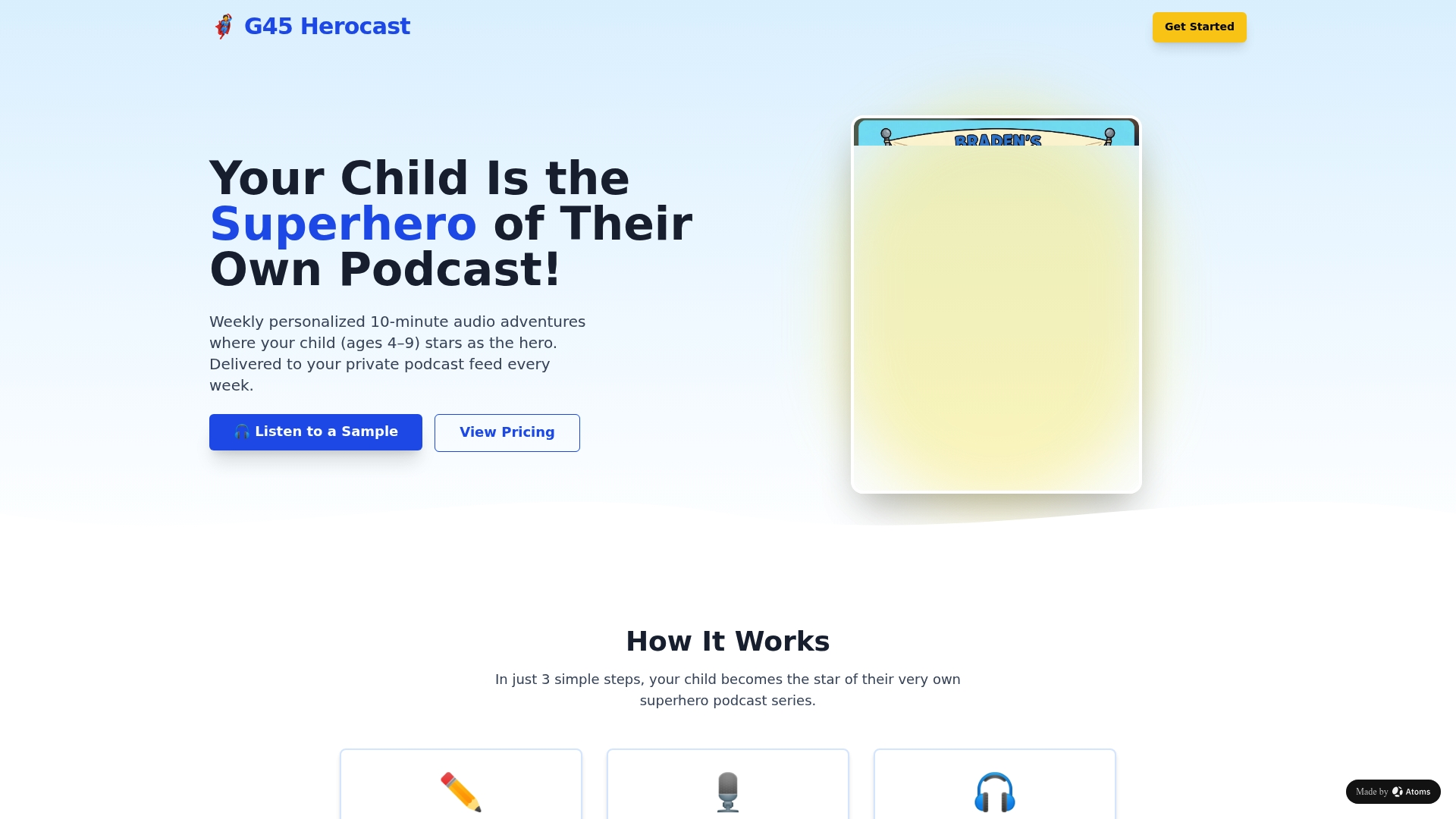
If you're a parent trying to get a personalized podcast into your kid's ears without wrestling with tokens, TTLs, or "Add Show by URL" menus, that's exactly the friction G45-hero-cast removes. Every subscription comes with a private podcast feed already built, tested, and delivered, so setup ends at checkout instead of starting there.
Here's what that looks like in practice:
- Low-friction onboarding: your child's private feed link lands in your inbox every Sunday, ready to open in any podcast app.
- Secure, individual delivery: each family gets its own private feed tied to their subscription, not a shared link passed around a class group chat.
- Consistent weekly delivery: new personalized episodes arrive on schedule, keeping the routine simple for busy parents.
Creators building their own paid audio product can find lighter-weight options too, like Payhip's podcast sales tools for handling access and delivery without custom development. But if you're a parent looking for a done-for-you experience instead of a project to manage, start a subscription at Superhero Sounds and get your child's first personalized episode this week.
Frequently Asked Questions
Is a private RSS feed the same as a password-protected feed? No. Most podcast apps can't process password-protected XML at all, so protection relies on unique, hard-to-guess URLs rather than login credentials.
Can I use a private RSS feed with Apple Podcasts or Spotify? Yes. Standard podcast apps accept private feeds the same way they accept public ones, either through "Add Show by URL" or a one-tap connect option some platforms provide.
What happens if a subscriber shares their private feed URL? With a per-subscriber feed, you can revoke that one link and reissue a fresh one without affecting other listeners. With a shared feed, you'd have to reset access for everyone.
Do I need to build this myself, or can I use a hosted platform? Both work. Hosted platforms and companion tools like Lochy handle token generation and revocation automatically; self-hosted patterns give you more control but require developer time to build and maintain.
How do private RSS feeds work for kids' podcasts specifically? The mechanism is identical to any subscription podcast: a private feed link is generated per family, delivered by email, and added to a podcast app once. G45-hero-cast automates this so parents never touch a token or URL directly.
Sources
- What is a private RSS feed and how do I create one? | Supercast
- RSS feed security & protection – Patreon Help Center
- Paid podcasts: Using your private RSS feed | Spotify for Podcasters
- Creating a private feed | FeedPress Support