Yes, an email delivered podcast works two ways: creators email a private RSS URL that plugs into any podcast app, or they email a direct link to a hosted player. Either way, the listener does the work of pasting a link or clicking once. The one wrinkle worth knowing upfront: Spotify usually won't take an outside private feed, so plan for that exception before you build your delivery habit around it.
TL;DR:
- Private RSS feeds usually function well with most third-party podcast apps such as Overcast, Pocket Casts, and Castro, but Apple Podcasts support is limited on iOS devices.
- Spotify generally does not accept outside private RSS feeds, requiring creators to use native subscription options if targeting Spotify users.
- Re-adding the feed from a fresh URL and confirming active subscriptions are key troubleshooting steps if a private podcast feed stops working.
- The long, random URLs are security tokens tied to individual accounts, enabling creators to revoke access or rotate tokens quickly if sharing occurs.
- Email delivery of private podcasts is more reliable when proper authentication protocols are in place and subscribers use confirmed opt-in lists to avoid spam filters.
Table of Contents
- What Is an Email Delivered Podcast, Exactly?
- How Do You Subscribe to a Podcast Delivered by Email?
- Which Delivery Method Should Podcast Creators Use?
- What Should Your Podcast Announcement Email Say?
- How Do You Keep Your Podcast Emails Out of Spam?
- Which Podcast Apps Support Private RSS Feeds?
- What Do You Do If Your Private Podcast Feed Stops Working?
- Why Do Private Podcast Links Look So Long and Random?
- How G45-hero-cast Delivers a Private Podcast Feed Every Week
- Why Email-First Delivery Still Beats Platform Lock-In
- Get Weekly Personalized Superhero Episodes Delivered Every Sunday
- Where to Learn More About Private Feeds and Email Deliverability
- Sources
What Is an Email Delivered Podcast, Exactly?
An email delivered podcast is any show where the audio reaches a listener through their inbox instead of through a public podcast directory. Instead of hitting "subscribe" inside Apple Podcasts or Spotify, the listener gets a message with either a private RSS link or a direct play link, and that message is the entire distribution mechanism.
This matters because it's a different model than the free, ad-supported podcast world most people know. Private RSS feeds are how paid newsletters, membership shows, and bonus content have worked for years, on platforms like Patreon, Substack, Memberful, and Supercast. Each of those platforms drops a unique, tokenized feed URL into the subscriber's confirmation email, and that URL becomes the listener's personal doorway into the show.
How Do You Subscribe to a Podcast Delivered by Email?
If you just got an email with a private podcast link and you're staring at it wondering what to do next, here's the exact sequence.
- Open the confirmation or welcome email from the show and find the private RSS URL. It's usually a long web address, sometimes tucked under a button labeled "Copy Feed URL" or similar.
- Copy the entire URL. Tap and hold on mobile, or right click and select copy on desktop. Grab the whole string, not just part of it.
- Open your podcast app of choice, whether that's Apple Podcasts, Overcast, Pocket Casts, or another third party app.
- Find the "Add by URL" or "Follow a Show by RSS" option. On Apple Podcasts desktop, it's under File > Add a Show by URL. On mobile apps like Overcast, look in Settings or the add show menu for "Add URL."
- Paste the link and confirm. The show should populate immediately with its episode list, artwork, and description.
- Check for new episodes automatically going forward. Once added, most apps refresh the feed on their normal schedule, the same as any public show.
Some emails skip the RSS step entirely and instead link straight to a hosted player, essentially a web page with a play button embedded. If that's what you got, clicking the link opens a browser tab and starts playback there. Some hosted players ask you to log in first, particularly if the show is tied to a paid membership account, so keep your login credentials handy.
Attachments are the rarest option and usually reserved for short bonus content. If a creator emails an actual audio file, you can play it directly from most email apps or download it to your device. Just watch file sizes. A 45 minute episode as an MP3 attachment can run 40 to 60 megabytes, which some email providers block or delay.
If something's not working, work through this before giving up:
- Re-copy the URL from the original email. Old copies floating in your clipboard sometimes carry hidden formatting that breaks the link.
- Remove the feed from your app and re-add it fresh, rather than trying to "fix" an existing broken subscription.
- Confirm your subscription or membership status is active on the creator's platform, not just in your podcast app.
- Try a completely different podcast app to rule out an app-specific bug.
Pro Tip: Keep a lightweight second podcast app installed just for private feeds. If your primary app is Spotify, which generally requires native subscription integration rather than accepting outside private RSS feeds, a free app like Overcast or Pocket Casts as a backup means you're never stuck when a creator only offers a private RSS link.
Which Delivery Method Should Podcast Creators Use?
Creators have four real options for getting episodes into listener hands by email, and each one trades convenience for control differently.
Private RSS feeds are the closest thing to a native podcast experience. The platform generates a unique, tokenized URL per subscriber (or per account), emails it once, and from then on the listener's podcast app handles everything automatically, downloads, playback speed, queueing, the works. The tradeoff is setup complexity on the creator's side and the Spotify gap mentioned earlier.
Email-hosted player links put a play button directly inside the newsletter or a linked web page. This gives creators far better analytics, exactly who clicked, how long they listened, whether they finished, and lets them control branding and calls to action around the player. The friction shows up for the listener: an extra click, sometimes a login wall, and no automatic new-episode alerts unless they check email regularly.
Email attachments work fine for short, occasional bonus audio but fall apart at scale. Deliverability suffers because large attachments trigger spam filters, and most email providers cap attachment size well below a full episode length. Reserve this method for two-minute teasers, not weekly shows.
Platform-native subscriptions, meaning Apple Podcasts Subscriptions or Spotify's built-in paid podcast tools, skip email entirely. The platform handles billing and delivery inside its own ecosystem. Many creators run this alongside a private RSS option rather than instead of one, since it captures listeners who live inside one app and never touch outside links.
Here's the practical way to decide:
- If your audience is tech-comfortable and mostly uses Apple Podcasts, Overcast, or Pocket Casts, private RSS delivers the smoothest long-term experience.
- If you need hard data on engagement or want tight control over presentation, a hosted player link earns its extra click.
- If you're sending occasional short bonus clips rather than full episodes, an attachment is fine.
- If a meaningful chunk of your audience already pays through Apple or Spotify's own subscription tools, offer that path too rather than forcing everyone onto RSS.
Most established shows running paid or private content end up running two of these in parallel, typically private RSS as the default plus a platform-native option for listeners who never leave one app.
What Should Your Podcast Announcement Email Say?
The email itself is a piece of content, not just a delivery wrapper, and treating it that way changes open rates. Experts who study podcast email strategy point out that shows perform best when they build a standalone email newsletter that delivers value on its own, rather than an email that only exists to push a play button.
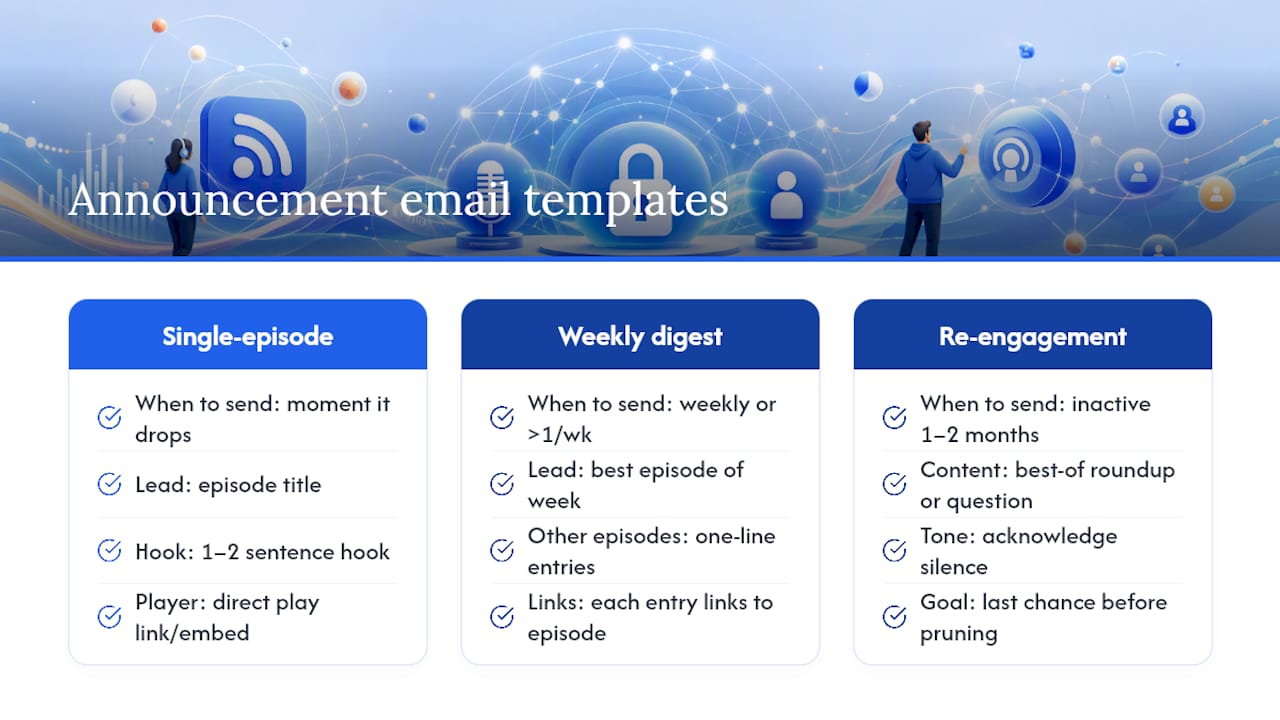
Three templates cover almost every situation:
The single-episode announcement. Send this the moment a new episode drops. Keep it to the episode title, one or two sentences on what's inside, a direct play link or embedded player, and three or four lines of show notes. Nothing more. Readers skim.
The weekly digest. If you publish more than once a week or want to round up highlights, a digest format works better than five separate emails. Lead with your best episode of the week, then list the rest as short one-line entries with links.
The re-engagement email. For subscribers who haven't opened anything in a month or two, send something different: a "best of" roundup, a direct question, or a note acknowledging you noticed they've been quiet. This is also your last chance to save that address before pruning it, which matters for the deliverability reasons covered next.
Every episode email, regardless of type, needs five things: the title, a hook of one or two sentences, a play button or link, brief show notes, and a visible unsubscribe link with clear permission language explaining why they're receiving it. Skipping the unsubscribe link isn't just bad practice, it's a direct hit to your sender reputation.
Cadence should track your publishing schedule, not fight it. Weekly shows do well with a short weekly email sent the same day the episode drops. Daily shows or short miniseries should pull back to a less frequent highlights email, maybe every week or two, because daily emails for daily content trains subscribers to ignore you.
Subject lines matter more than most creators think. Skip generic phrasing like "New Episode Out Now" and try formats like "The Question We Couldn't Stop Talking About" or a specific number ("3 Things That Surprised Us This Week"). Preview text should extend the subject line, not repeat it, since most inbox views show both together.
Pro Tip: Write your subject line last, after the episode is fully edited and the show notes are drafted. Pulling a real detail from the finished episode almost always beats a subject line written from a rough outline.
How Do You Keep Your Podcast Emails Out of Spam?
Getting an email delivered podcast into an inbox instead of a spam folder comes down to a handful of technical and behavioral fixes that most creators skip until something breaks.
Authentication is non-negotiable. SPF, DKIM, and DMARC are the three protocols mailbox providers check before deciding whether your message is legitimate. SPF confirms your sending server is authorized to send on behalf of your domain. DKIM attaches a cryptographic signature proving the message wasn't altered in transit. DMARC tells receiving servers what to do if a message fails either check, and without all three properly configured, legitimate podcast emails can land in spam despite technically being sent.
Permission-based lists aren't optional either. Confirmed opt-in means someone actively agreed to receive your episode emails, not that they were added because they downloaded a free guide once. Explicit consent protects your deliverability and keeps you compliant with anti-spam law.
Engagement is the metric that actually determines inbox placement, not your ESP's "delivered" count. A message can show as delivered and still land in spam, because inbox providers score you in real time based on opens, clicks, and complaint rates rather than trusting a static delivery confirmation. Delivered and inbox-placed are not the same thing, and creators who only watch their ESP dashboard miss that distinction entirely.
Run through this checklist quarterly:
- Confirm SPF, DKIM, and DMARC records are all correctly published for your sending domain.
- Require confirmed opt-in for every new subscriber, no exceptions for "warm" leads.
- Track open and click rates monthly, and flag any address with zero engagement over 60 to 90 days.
- Run a re-engagement email before pruning dormant addresses rather than deleting them outright.
- Consider BIMI once authentication is solid. It displays your verified logo in supported inboxes and signals extra legitimacy to both providers and subscribers.
- Test inbox placement with a seed list or a placement-testing tool rather than trusting your ESP's delivered percentage alone.
Deliverability problems rarely come from one bad decision. They build slowly, an unauthenticated domain here, a stale list there, and the fix is almost always a combination of correct authentication plus better engagement habits rather than a single tweak.
Which Podcast Apps Support Private RSS Feeds?
Compatibility is the part that trips up new subscribers most, so here's the honest map of what works where.
Most independent, third-party podcast apps handle private RSS without complaint. Overcast, Pocket Casts, Podcast Addict, Castro, and Downcast all include a straightforward "Add by URL" function on both iOS and Android, and once added, the private feed behaves exactly like a public one, complete with automatic downloads and playback tracking.
Apple Podcasts supports private feeds but with a catch worth knowing before you rely on it. On a Mac or through the desktop app, adding a show by URL is simple: open the File menu, choose "Add a Show by URL," and paste the link. On iOS, some private feeds behave inconsistently, particularly ones tied to Apple's own paid Subscriptions system, which binds access to a specific Apple ID rather than a portable URL. If a creator sells through Apple Podcasts Subscriptions specifically, that show appears in the listener's library automatically after purchase, no manual RSS step required, but it also means that access doesn't transfer to another device or account.
Spotify is the clearest exception in the entire ecosystem. Spotify generally requires native subscription integration rather than accepting an outside private RSS URL, so pasting a Patreon or Supercast feed link into Spotify typically won't work at all. If your audience is Spotify-heavy, the practical workaround is running a second app alongside it purely for private content, or offering Spotify's own native paid subscription option if it fits your show.
Quick steps by app:
- Overcast, Pocket Casts, Podcast Addict: Settings or Library menu, look for "Add URL," paste, done.
- Apple Podcasts (desktop): File > Add a Show by URL > paste > confirm.
- Apple Podcasts (iOS, native subscriptions): No manual step needed, access appears after purchase tied to your Apple ID.
- Spotify: Native private RSS generally not supported. Use a fallback app, or check if the creator offers Spotify's built-in subscription option.
What Do You Do If Your Private Podcast Feed Stops Working?
Feed problems are almost always fixable in under five minutes, and they follow a predictable pattern.
- Confirm your subscription is still active. Log into the platform you subscribed through, whether that's Patreon, Substack, or the creator's own site, and check your billing status. A lapsed payment method is the single most common cause of a feed that suddenly stops updating.
- Copy a fresh URL straight from the source email. Never reuse a URL you saved somewhere else weeks ago. If the platform rotated your token for security reasons, an old saved link will fail silently.
- Delete the feed from your app and re-add it from scratch. Apps sometimes cache an old version of a feed and won't recognize that it changed, even after a successful update on the creator's end.
- Switch apps temporarily to isolate whether the problem is your app or the feed itself. If a second app loads the feed fine, the issue is app-specific, likely a caching bug.
- Check for account-based access restrictions, especially if you're on Apple Podcasts and the show uses Apple's native Subscriptions, since that ties playback to your Apple ID rather than a portable link.
A "403 Forbidden" error almost always means your access token was revoked or rotated. Platforms intentionally invalidate tokens when subscriptions lapse, when a link is shared too widely, or as routine security hygiene, and the fix is simply requesting or retrieving a fresh URL rather than troubleshooting the old one.
If none of that resolves it and you need to contact the creator directly, include: your device and app name, a screenshot of the exact error message, your subscription confirmation or receipt, and only the feed URL itself if support specifically asks for it. That last point matters. Never post a private feed URL publicly, in a support forum, or on social media, even when troubleshooting, since anyone who sees it could add it to their own app.
Why Do Private Podcast Links Look So Long and Random?
That long, jumbled string in your private podcast URL isn't an accident of formatting. It's a security token, a randomly generated string long enough that guessing it isn't practically feasible, and it's tied to your specific account rather than the show as a whole.
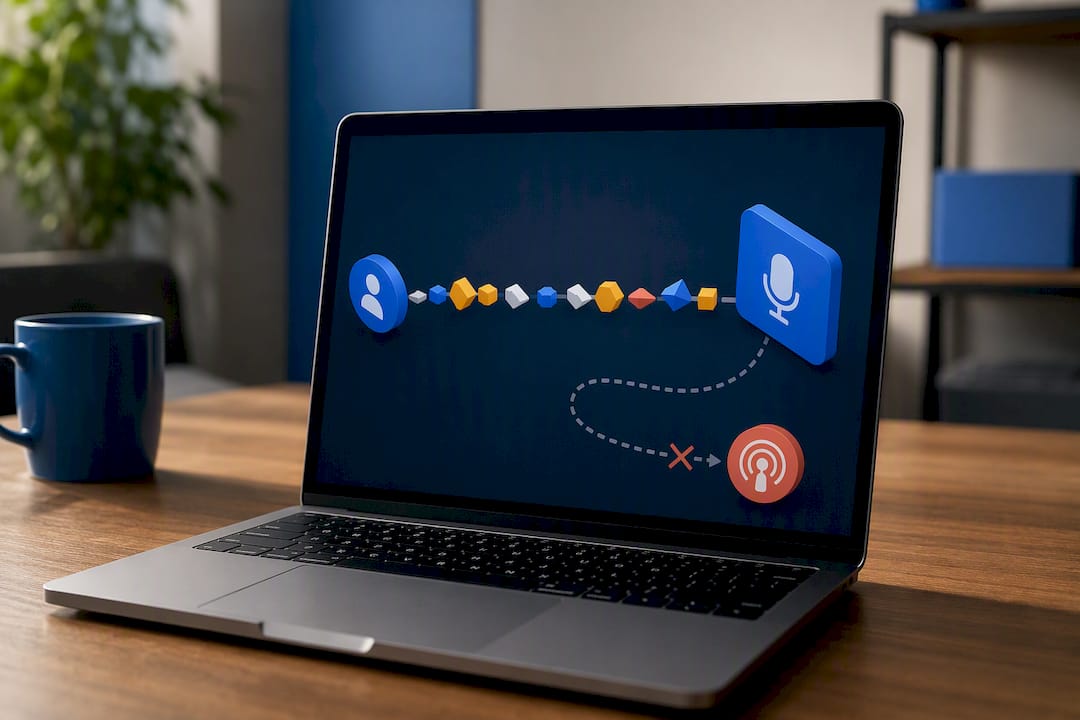
That design choice matters for two reasons. First, it means every subscriber gets a personal feed rather than one shared link for the whole audience, so a platform can shut off access for a single person without affecting anyone else. Second, platforms can invalidate and reissue tokens instantly if a link gets shared somewhere it shouldn't, cutting off unauthorized access without requiring the creator to rebuild the entire feed.
Creators have a few real controls available here worth knowing about even if you're on the listener side:
- Token rotation lets a platform issue a fresh URL periodically or on demand, useful if a subscriber's old link leaks.
- Per-account feeds mean one leaked link only exposes one subscriber's access, not the whole show's back catalog.
- Revocation on abuse cuts access immediately if a token shows up somewhere public, like a forum post or a social media screenshot.
- Rate limiting on some platforms flags unusual request patterns, like the same feed URL being hit from dozens of different IP addresses in a short window, which often signals a leaked link circulating.
As a listener, the best practice is simple: treat your private RSS URL the way you'd treat a password. Don't post it publicly, don't forward it to friends expecting them to use your access, and if you think it's been exposed, ask the creator for a new one rather than waiting to see if anything goes wrong.
How G45-hero-cast Delivers a Private Podcast Feed Every Week
Every Sunday, G45-hero-cast sends a fresh episode into each family's private podcast feed, and the subscriber email is built to remove any guesswork about where to find it. The confirmation email a parent receives at signup includes the private RSS link front and center, along with plain instructions for pasting it into whichever podcast app the family already uses.
The workflow behind that consistency looks like this: episodes are generated and personalized earlier in the week, quality-checked, then pushed to each child's private feed on a fixed Sunday schedule so families can build it into a weekend routine rather than wondering when the next episode lands. Token security follows the same principle covered above, feeds are per-subscription, and access can be reissued if a link ever needs to be refreshed.
On the email side, the subject lines are built around the specific adventure landing that week rather than generic "new episode" language, since a parent scanning their inbox is far more likely to open something that names their child's actual story than a placeholder announcement.
The private RSS feed setup guide walks through exactly what that confirmation email contains and how to add the feed to any supported app, and the same mechanics apply whether a family is adding their first episode or troubleshooting a feed that needs a refresh. It's a small operational detail, but consistency in delivery is what turns a novelty gift into an actual weekly habit.
Why Email-First Delivery Still Beats Platform Lock-In
Owning the relationship with your audience through email, rather than renting it from whichever app happens to host your show, is the single most underrated decision a podcast creator makes. Platforms change their rules, algorithms shift, and app policies get rewritten without warning, but an email list belongs entirely to the person who built it.
For families, this shows up in something smaller and more human than a business strategy conversation: a Sunday morning that starts the same way every week. A parent knows exactly where to look, the kid knows a new adventure is waiting, and nobody has to dig through an app or wonder if the episode actually posted. That small, repeated certainty is what turns an occasional podcast into an actual family habit, the kind of routine that sticks precisely because it doesn't require anyone to remember to check anything.
— JG
Get Weekly Personalized Superhero Episodes Delivered Every Sunday
G45-hero-cast turns the private feed model covered throughout this piece into something a family actually looks forward to: a weekly personalized superhero podcast, built around your own child's name, age, and interests, delivered straight to their private feed every Sunday morning.
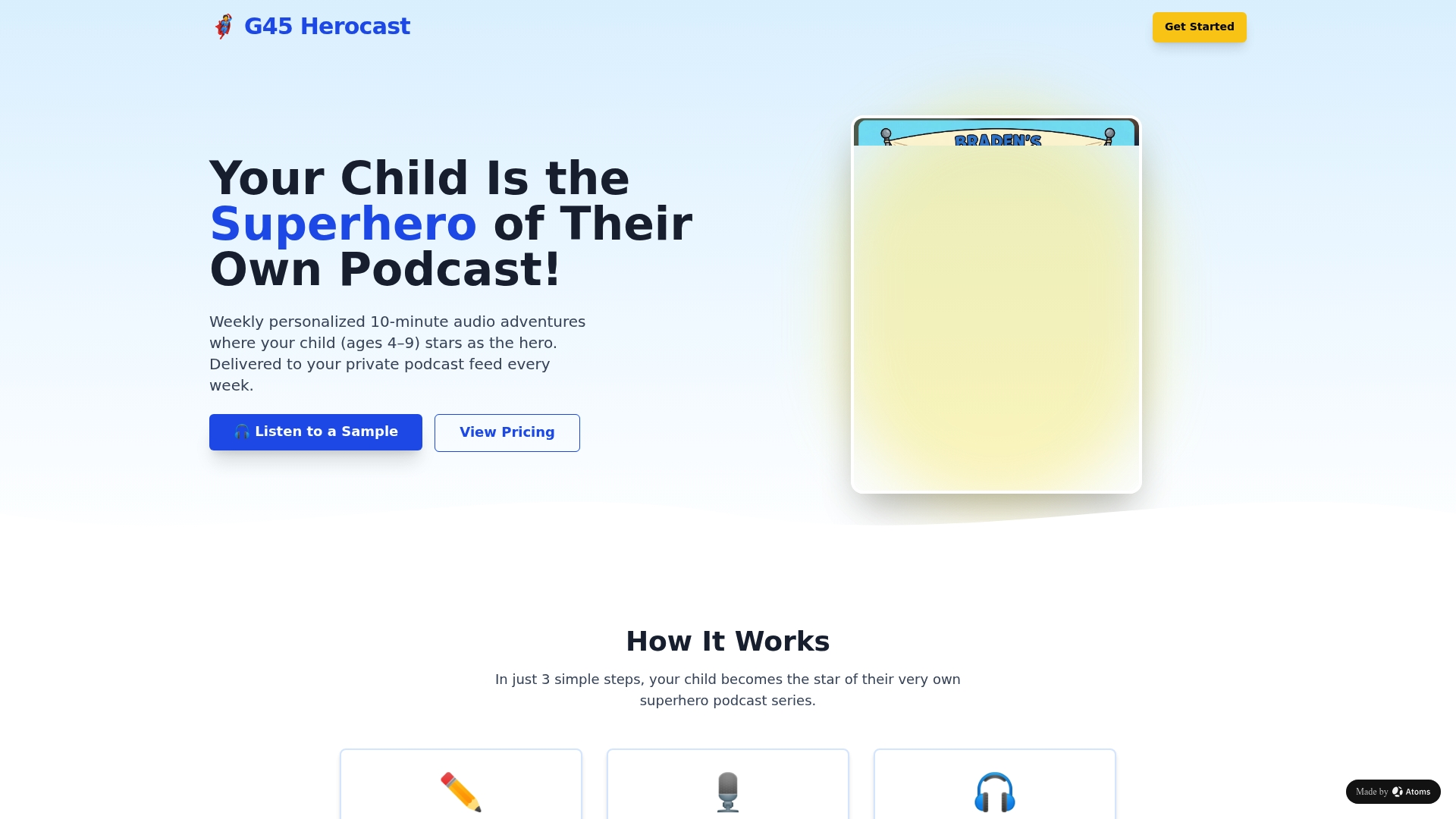
Unlike a generic show you'd have to search for and hope updates on schedule, this is a subscription built entirely around one kid's adventures, with sibling options and gift plans available for grandparents or family members who want in. There's no algorithm to fight and no public feed to browse, just a private link that lands in your inbox and a new story waiting every week. If you want to see the full feature set and screen-free benefits before deciding, that's worth a look too. Ready to give your child their own superhero story? Visit G45-hero-cast to start a subscription or set one up as a gift.
Where to Learn More About Private Feeds and Email Deliverability
For readers who want to go deeper on any of the technical pieces covered above, these are solid starting points.
- Spotify for Podcasters: private RSS feed guide, for the platform-specific limits on external feeds.
- Patreon's guide to custom audio RSS links, covering which apps accept a private feed URL.
- Email on Acid's breakdown of SPF, DKIM, and DMARC, for the authentication side of deliverability.
- Mailreach's explainer on delivered versus inbox placement, for understanding what your ESP dashboard doesn't tell you.
- Kajabi's help article on Apple Podcasts and private feeds, for iOS-specific quirks.
Sources
- Email authentication protocols explained — Email on Acid
- Which podcast apps will my custom audio RSS link work with? | Patreon Help
- Email deliverability vs inbox placement — Mailreach