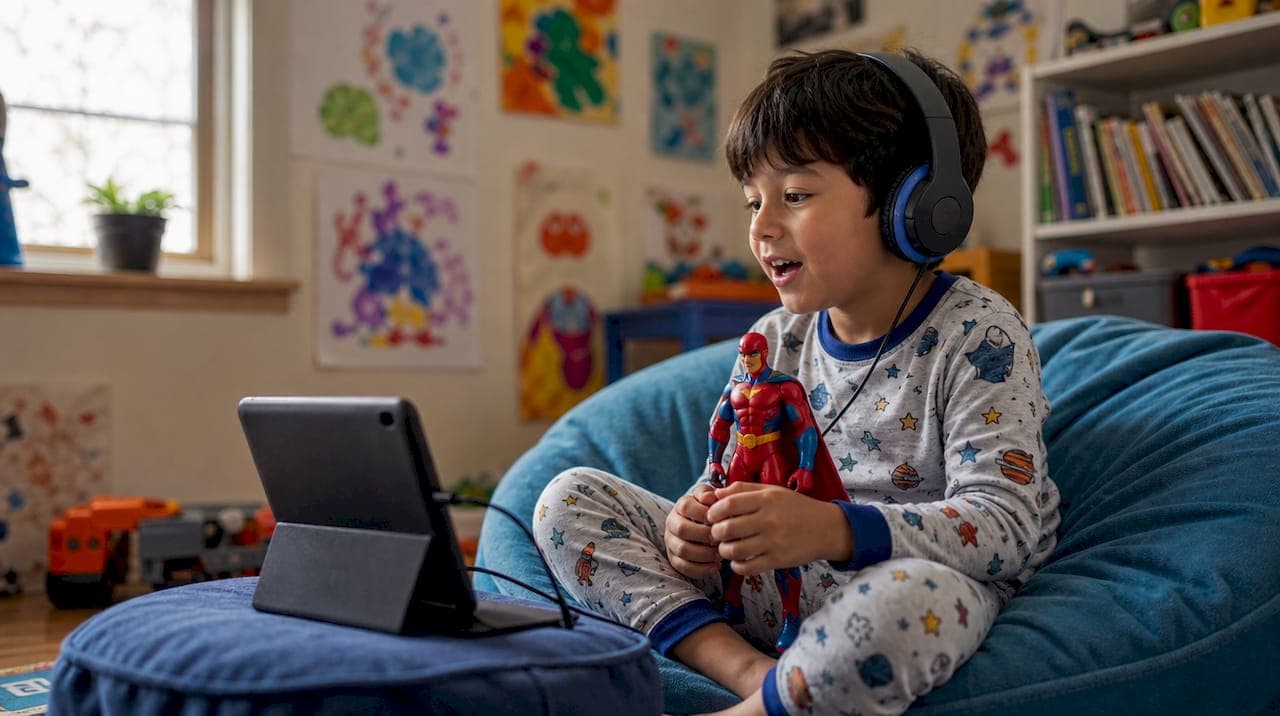
For most families trying to cut screen time and build imagination, podcasts are the safer, more educational choice. YouTube Kids still wins when your child needs to see something — a science experiment, a craft, a how-to demonstration. Here's the short version:
- Podcasts reduce screen exposure, support listening comprehension and vocabulary, and give parents tight control over what plays. Best for ages 4–9, especially at bedtime, in the car, or during quiet time.
- YouTube Kids works better for visual learners and procedural tasks, but requires active parental setup to stay safe. Best for ages 5+ when a parent can co-view or has configured controls carefully.
- The clearest dividing line is screen time. If your child already gets significant screen exposure from school devices or TV, audio-first content is an easy, low-friction way to balance that out.
Key Takeaways
Podcasts are the lower-risk, higher-control choice for most children under 9; YouTube Kids adds real value for visual and procedural learning when parents configure it carefully.
| Point | Details |
|---|---|
| Default to audio under age 6 | Podcasts carry zero screen burden and build listening skills that directly support reading. |
| Configure YouTube Kids before first use | Enable per-child profiles, set the right age tier, and turn on "Approve content yourself" for under-7s. |
| Match the medium to the goal | Use audio for storytelling and imagination; use video for demonstrations and step-by-step tasks. |
| Run a one-week trial | Watch post-content behavior: calm and talkative favors audio; demanding more screen time is a signal to reassess. |
| G45-hero-cast for personalized audio | Weekly superhero episodes featuring your child by name, delivered to a private feed with no ads or algorithm. |
Table of Contents
- How do podcasts vs. YouTube Kids compare across what matters most?
- How do YouTube Kids' controls actually work, and how do podcasts compare?
- What does each format actually do for your child's learning?
- When should you choose podcasts, and what does personalization add?
- How to set up YouTube Kids and podcasts for safer, smarter use
- Quick picks to try this week
- Red flags to watch for on both platforms
- How to decide: a checklist for your family
- G45-hero-cast: a parent-controlled audio option for ages 4–9
- Sources
How do podcasts vs. YouTube Kids compare across what matters most?
The table below covers the eight dimensions parents most often ask about.
| Dimension | Podcasts | YouTube Kids |
|---|---|---|
| Safety & moderation | Editorial curation by publishers; private/curated feeds have no algorithmic surprises | Automated + human review, but not all videos are manually checked |
| Parental controls | Publisher-level curation; private feeds restrict access entirely | Per-child profiles, age tiers, "Approve content yourself" mode, search toggle |
| Educational value | Strong for listening comprehension, vocabulary, imagination, and storytelling | Strong for visual/procedural learning, demonstrations, and visual literacy |
| Engagement & attention | Builds sustained listening attention; no visual distraction | High visual engagement; risk of passive watching or overstimulation |
| Screen-time impact | Zero screen time; supports cognitive rest | Adds to daily screen total; blue-light and attention considerations apply |
| Cost | Many free; premium/private feeds typically $5–$15/month | Free with ads; YouTube Premium removes ads |
| Accessibility / offline | Episodes preload easily for offline use | Offline requires YouTube Premium; needs reliable connection otherwise |
| Content variety | Growing library; discovery requires more parent effort | Enormous library; discovery is fast but less predictable |
The sharpest trade-off is that podcasts hand you more control and zero screen burden, but you do more of the curation work yourself. YouTube Kids offers a massive library with built-in discovery tools, and that scale is exactly what makes it harder to fully lock down. Shifting children's media consumption trends are pushing more families toward audio-first options precisely because of that trade-off.
How do YouTube Kids' controls actually work, and how do podcasts compare?
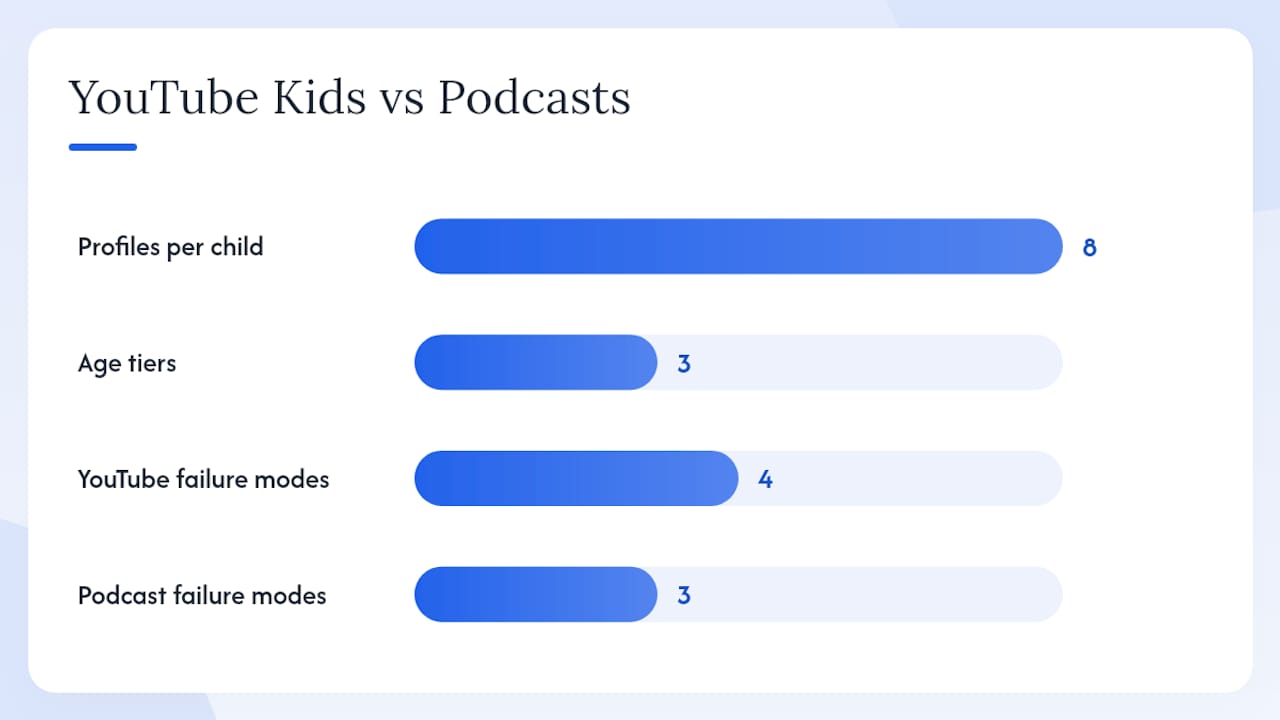
YouTube Kids gives parents more levers than most people realize. The YouTube Kids parental settings let you create up to eight per-child profiles, each with its own content tier: Preschool (ages 4 and under), Younger (ages 5–8), or Older (ages 9–12). The most restrictive option is "Approve content yourself," which disables search entirely and limits your child to only the videos, channels, or collections you've explicitly approved. That's a meaningful control — most parents don't know it exists.
The catch is that even with those settings active, the platform uses a mix of automated systems and human reviewers, and YouTube Kids content policies acknowledge that not every video is manually reviewed before it appears. Common Sense Media's guide to YouTube Kids confirms that problematic videos and pervasive advertising can still slip through, and recommends active parental involvement regardless of which settings you choose.
Podcasts work differently. Most reputable kids' podcast publishers curate their own feeds editorially, meaning a human decided what goes in each episode before it reaches your child. Private or subscription-based feeds go further: nothing plays unless it was explicitly published to that feed. There's no algorithm surfacing related content, no autoplay chain, and no sponsored thumbnails competing for attention.
The main failure modes to know:
- YouTube Kids: Autoplay sequences that escalate in tone, reuploaded content that bypasses channel-level blocks, disguised ads or sponsored segments, and AI-generated videos with factual errors or strange pacing.
- Podcasts: Undisclosed sponsorships in episodes aimed at kids, episodes that drift into adult references, and community forums or social channels linked to a podcast that aren't moderated for children.
As The Verge's reporting on kids' podcasts and YouTube notes, YouTube's infinite-content environment means high-quality educational videos compete directly with viral or low-quality content — a dynamic that editorial curation in podcasting largely avoids.
Pro Tip: Switch "Approve content yourself" on for any child under 7. Yes, it means manually adding channels, but it takes about ten minutes and eliminates algorithmic surprises entirely. Pair it with the timer feature to set a hard daily limit.
What does each format actually do for your child's learning?
Audio and video aren't interchangeable — they develop different skills, and matching the medium to the goal matters.
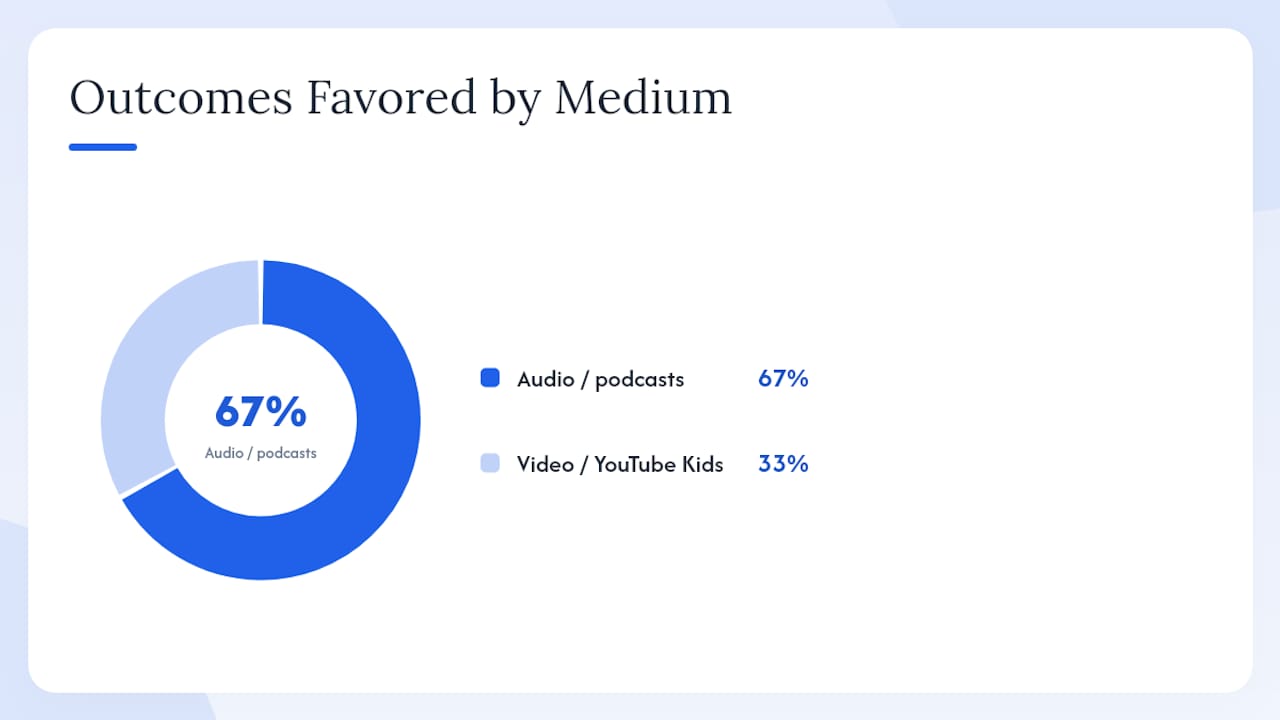
The Audio Publishers Association's Sound Learning infographic presents practitioner-cited figures showing that integrating audio into learning routines supports comprehension and reading-accuracy gains. Brown University Health's overview of podcast benefits for children identifies improved attention, imagination stimulus, and vocabulary exposure as the clearest gains when kids listen to age-appropriate audio with adult guidance.
| Learning outcome | Audio / podcasts | Video / YouTube Kids |
|---|---|---|
| Listening comprehension | Supported by sustained audio engagement | Partial; visual channel competes for attention |
| Vocabulary exposure | High; storytelling and narration introduce new words in context | Moderate; depends heavily on channel quality |
| Imagination and creativity | Strong; child must build mental images independently | Lower; visuals are pre-built |
| Procedural / step-by-step skills | Limited | Strong; demonstration is the medium's native strength |
| Visual literacy | Not applicable | Builds through repeated exposure to visual media |
| Attention span | Builds sustained, undistracted focus | Can fragment attention if content is fast-cut |
Video genuinely wins for procedural tasks. If your seven-year-old wants to learn origami, tie a knot, or follow a science experiment, watching is faster and more accurate than listening to instructions. That's not a knock on audio — it's just the wrong tool for that job.
Three quick use-case pairings:
- Preschool storytelling and language (ages 4–6): Podcast. No screen, rich vocabulary, and the child's imagination does the work.
- Step-by-step craft or cooking (ages 6+): YouTube Kids. Visual demonstration is the point.
- Science curiosity and "why" questions (ages 6–10): Either, depending on the child. Audio works well for narrative science explanations; video works better when the experiment itself is the payoff.
When should you choose podcasts, and what does personalization add?
Podcasts are the clearer choice in several specific situations:
- Reducing screen time without reducing learning or entertainment
- Car trips and commutes, where a screen is impractical or unsafe
- Bedtime and wind-down routines, where screen light disrupts sleep
- Building listening skills, which directly support reading comprehension
- Imaginative play, where audio leaves space for the child's own mental world
Generic podcasts do all that. A personalized podcast goes further. When a child hears their own name, their interests, and their personality woven into a weekly adventure, engagement shifts from passive listening to genuine investment. That's not a small thing — it's the difference between background noise and a story your child talks about at dinner.
Consider a typical 15–20 minute screen routine before bed: a YouTube video, autoplay on, parent half-watching. Replace that with a weekly superhero episode where your child is the hero, and the conversation afterward ("What would you have done when the volcano started?") becomes the family moment. Podcasts built around family time consistently show this pattern: audio prompts more back-and-forth than passive video watching does.
Pro Tip: Pick one consistent listening slot — Sunday evening, the school commute, or after-dinner quiet time — and protect it. Routine is what turns a single episode into a habit your child looks forward to.
How to set up YouTube Kids and podcasts for safer, smarter use
Configuring YouTube Kids
- Create a Google account and sign in as a parent in the YouTube Kids app.
- Set up a separate profile for each child; use their actual age to get the right content tier.
- Select the appropriate content setting: Preschool for under-5s, Younger for ages 5–8.
- For maximum control, switch to "Approve content yourself" — this disables search and limits viewing to your approved list.
- Turn off Search if you stay on a standard age tier rather than "Approve content yourself."
- Use the block and report buttons whenever something inappropriate appears; this improves the filter for your child's profile.
- Set a daily timer in the app settings.
- Consider YouTube Premium to remove ads from the experience.
Setting up podcasts
- Choose publishers with a clear kids' editorial focus (NPR, PRX, Tinkercast, and similar).
- Subscribe to private or curated feeds when available — these eliminate algorithmic discovery entirely.
- Preload several episodes for offline listening before a trip or routine.
- Use headphones and a consistent time slot to build the habit.
- Preview the first episode of any new show before your child listens alone.
Pro Tip: Alternate formats by purpose: audio for travel, wind-down, and imagination; video for hands-on tasks and demonstrations. That split naturally limits screen time without feeling like a restriction.
Quick picks to try this week
Podcasts worth starting with
- Brains On! (ages 6–12): Science questions answered with humor and kid co-hosts. One of the most consistently educational kids' podcasts available.
- Wow in the World (ages 5–12): Tinkercast's flagship show covers science and technology news in a format that's genuinely funny for adults too.
- Circle Round (ages 4–10): NPR's folktale-based series builds cultural literacy and listening skills through myth and storytelling from around the world.
- Story Pirates (ages 4–10): Stories written by real kids, performed by a comedy troupe. Excellent for creative writing inspiration.
- Sesame Street Podcast (ages 3–6): Familiar characters, short episodes, and clear educational scaffolding make this an easy first podcast for preschoolers.
- Tumble Science Podcast for Kids (ages 6–12): Pairs episodes with educator materials, making it classroom-friendly and parent-friendly alike.
For a curated age-specific list, the best podcasts for preschoolers guide covers the strongest options for the 3–5 range.
YouTube Kids channels worth prioritizing
- PBS Kids channels (all ages): Verified, ad-light, and curriculum-aligned. Start here for preschool and early elementary.
- Official Sesame Street channel (ages 2–6): Direct from the producer; no reuploads, no algorithmic surprises.
- National Geographic Kids (ages 6–12): Strong visual content for science and nature; use the "Approve content yourself" mode to pin this channel.
Safety tip: Stick to channels from verified publishers or major public broadcasters. If a channel has no clear organizational affiliation, preview several videos before adding it to your child's approved list.
Red flags to watch for on both platforms
On YouTube Kids
- Autoplay sequences that start educational and drift toward sensational or fast-cut content
- Reuploaded versions of popular shows on unofficial channels (check the channel name carefully)
- Thumbnails with exaggerated facial expressions or alarming imagery designed to drive clicks
- AI-generated videos with robotic narration, factual errors, or strange pacing
- Segments that feel like ads but aren't labeled as such
In podcasts
- Sponsorship reads that aren't clearly separated from episode content
- Episodes that introduce adult themes without warning (check the show notes)
- Community Discord servers or social channels linked to the podcast that have no moderation for minors
Quick preview checklist (use before a new episode or channel)
- Who publishes this? Is it a recognizable organization or an individual with no clear credentials?
- Is the content tier or age rating stated anywhere?
- Does the first two minutes feel age-appropriate in tone and pacing?
- Are ads or sponsorships clearly labeled and separated?
- Does autoplay lead somewhere predictable, or does it jump to unrelated content?
How to decide: a checklist for your family
Work through these questions and your answer usually becomes obvious:
- Child's age: Under 6 leans strongly toward audio; 6–10 can handle either with setup.
- Attention and sensory needs: Kids who get overstimulated easily do better with audio.
- Learning goal: Imagination and language = podcast. Visual demonstration = YouTube Kids.
- Screen-time budget: Already at the daily limit? Audio adds zero.
- Parent availability: Can you co-view or co-listen? Both formats benefit from it, but YouTube Kids needs it more.
- Offline access: Traveling without reliable Wi-Fi? Podcasts preload; YouTube Kids requires Premium.
Two sample decisions:
- Child is 5, bedtime routine, parent wants to reduce screens: Podcast. Try Circle Round or a personalized audio story for higher engagement.
- Child is 8, wants to learn how to draw animals, parent can co-view: YouTube Kids. Find a verified art channel, enable "Approve content yourself," and watch the first session together.
Run a one-week trial with each format. Watch how your child behaves after the content ends — calmer and talkative usually points to audio; energized and asking to watch more usually points to the screen pulling harder than the content deserves.
A note on what the data actually tells us
G45-hero-cast: a parent-controlled audio option for ages 4–9
If you've decided audio is the right call for your family, G45-hero-cast delivers exactly what this article describes: a weekly personalized superhero podcast where your child (ages 4–9) is the hero of every episode, tailored to their name, age, and interests. Episodes arrive every Sunday to a private podcast feed sent directly to your email — no algorithm, no ads, no autoplay surprises.
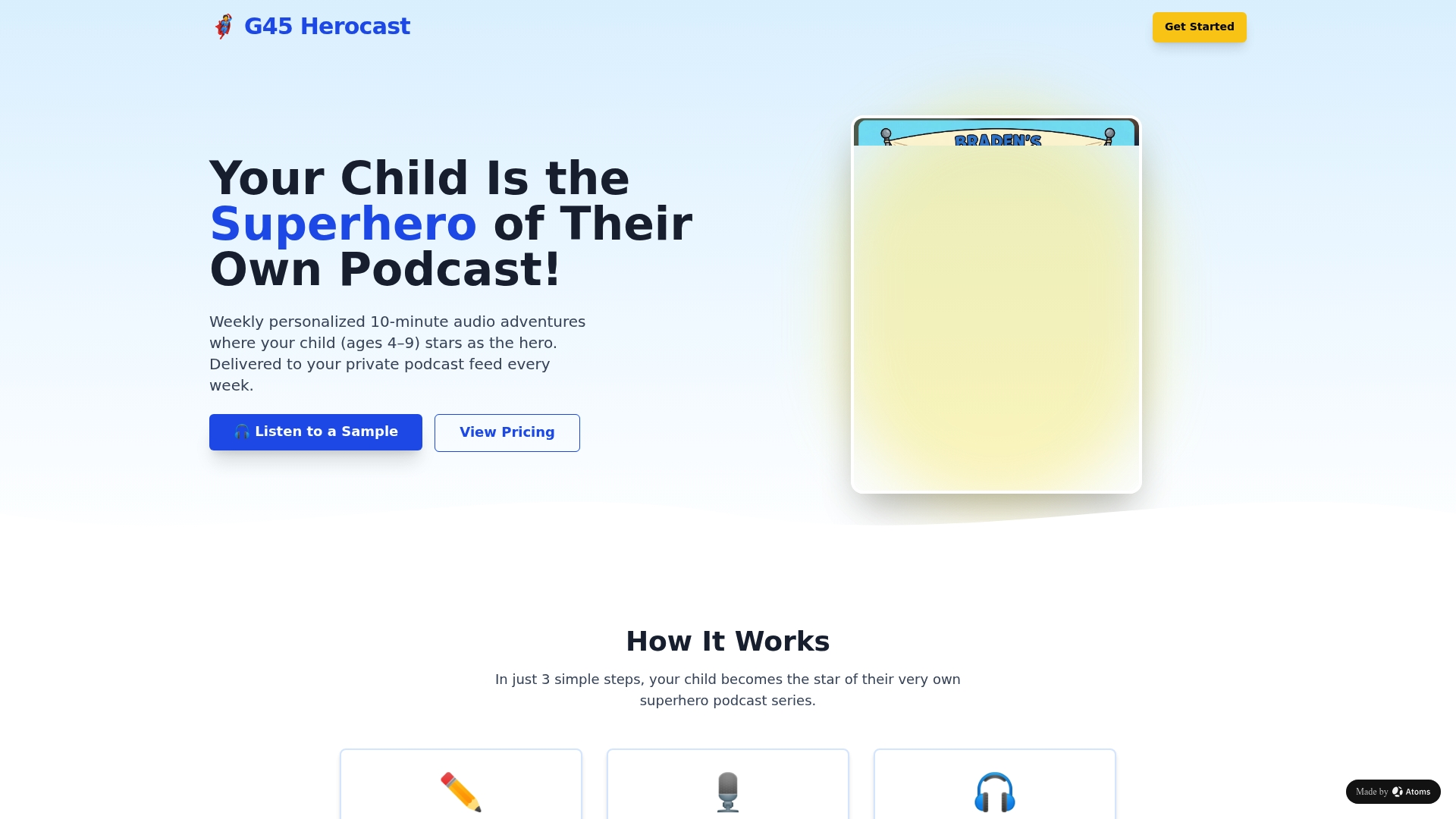
Monthly and annual subscription plans are available, with gift options for grandparents and siblings. Your child's feed is private and parent-controlled from day one. Start a subscription at Superhero Sounds and have your child's first personalized episode ready by next Sunday.
Sources
- YouTube Kids parental settings and profile options
- Parents' Ultimate Guide to YouTube Kids | Common Sense Media
- The Benefits of Podcasts for Children - Brown University Health