You share a private podcast feed either by issuing a unique, tokenized RSS URL to each listener or by routing access through a membership platform that provisions feeds automatically. The best-practice setup pairs the two: automate feed creation through your host or its API, then hand listeners a subscribe-in-app link or QR code rather than a raw URL. Manual, one-size-fits-all sharing works for a handful of friends and family, but it breaks down fast once you're managing more than a dozen subscribers.
TL;DR:
- Private podcast feeds use unique, tokenized RSS URLs for each subscriber, enabling revocation without affecting others and improving leak tracking.
- Automated invite systems and API-driven provisioning scale better than manual sharing, which remains feasible only for small pilot groups.
- Properly supported podcast apps require clear instructions and QR codes, with platform-specific quirks like Apple Podcasts and Spotify needing additional considerations.
- Maintaining a strict, automated subscriber list and revocation policy minimizes leaks and supports GDPR and privacy compliance when handling personal data.
- Using third-party services like G45-hero-cast can simplify setup by delivering personalized episodes without managing the infrastructure or RSS feeds yourself.
Table of Contents
- What Is a Private Podcast Feed, Exactly?
- Practical Ways to Share Your Private Podcast Feed
- How Listeners Add a Private Feed to Their App
- Keeping a Private Feed Private: Security and Revocation
- What Private Feeds Cost and When to Automate
- A Simple Workflow You Can Copy
- Legal and Copyright Considerations for Private Podcast Sharing
- Managing Subscriber Lists and Permissions the Right Way
- Privacy and GDPR Considerations for Private Feeds
- Troubleshooting Common Private Feed Problems
- Universal RSS or Platform-Native Subscription: Which Should You Pick?
- A Turnkey Way to Deliver a Private Podcast Feed Without Building the Plumbing
- Sources
- FAQ
What Is a Private Podcast Feed, Exactly?
A private podcast feed is a secure, unique RSS URL generated for individual subscribers, letting them pull your episodes into whatever podcast app they already use without your show ever appearing in Apple Podcasts, Spotify, or any public directory. The feed itself is a normal RSS document, just marked with tags that block public discovery and often locked behind a token embedded in the URL string.
That token matters more than most creators realize. A single shared private feed, the kind you copy once and email to everyone, means one leaked link exposes every subscriber's access at the same time. A per-subscriber feed gives each listener their own unique URL, which means:
- You can revoke one person's access without disrupting anyone else.
- You can trace a leak back to the specific account it came from.
- You get cleaner download and engagement data per subscriber instead of one blended number.
Most hosts flag these feeds as private in the feed's XML itself, which keeps them out of Apple's index and strips away Apple-curated features like search ranking or category browsing. That is a tradeoff, not a flaw. Private means private.
Practical Ways to Share Your Private Podcast Feed
Four approaches cover almost every private podcast distribution scenario, and picking the right one comes down to audience size and how much support work you're willing to do yourself.
- Hosted private feeds with invite automation. Most podcast hosting platforms now let you invite listeners by email, bulk-upload a subscriber list via CSV, and generate per-subscriber RSS links automatically. Transistor and similar hosts document these bulk-invite and CSV features as standard, along with integrations like Zapier or MemberPress for syncing subscriber status. This is the lowest-maintenance option once it's set up, because revocation happens with a click instead of a manual email hunt.
- Membership and payment platform integration. If you already run a Patreon, Memberful, Substack, or MemberPress community, connecting it to your podcast host lets paid membership tiers issue RSS access automatically the moment someone subscribes. The upside is one less system to manage. The downside is you're dependent on that platform's specific RSS-delivery quirks, which vary more than creators expect.
- API-driven provisioning with subscribe-in-app flows. Hosts with public APIs, like RSS.com, let you trigger feed creation the instant a payment clears, then hand the listener a subscribe page instead of a link to copy. Acast's private access flow opens the listener's own app and prompts an Add or Follow action, which cuts out the copy-paste step entirely. This is the setup that scales cleanest past a few hundred subscribers.
- Manual sharing. Copy the private RSS URL, paste it into an email, done. It costs nothing beyond your time, but it puts all the leak risk in one shared link and turns every "how do I add this" question into a support ticket you answer by hand. Reserve this for pilot groups of five or ten people, never for anything you're charging money for at scale.
Pro Tip: Test your own private feed in at least three apps (Apple Podcasts, Overcast, and one Android app) before you send it to a single subscriber. Feeds that work fine in a browser preview sometimes fail silently in a real app.
How Listeners Add a Private Feed to Their App
Most third-party podcast apps support an "Add by URL" or "Add by RSS" option buried in settings, usually under a plus icon or a search bar. The listener pastes in the private feed URL, and the show loads into their library like any other subscription. Your job is making sure that instruction is dead simple, because a confused subscriber becomes a support email.
A few things reduce friction dramatically:
- Send a short, numbered "how to add this feed" message alongside the link, written for someone who has never done this before.
- Include a QR code as an alternative to typing or copying a long URL on mobile.
- Use subscribe-in-app flows where available. Acast's model presents supported apps and opens the listener's chosen app directly, prompting the Add or Follow tap automatically.
Apple and Spotify each carry their own wrinkles. Apple Podcasts lets you add an external RSS feed to your Library, but that behavior is more reliable on macOS than on some mobile flows, and the show still won't show up in Apple's catalog or search. Spotify leans hard toward its own native subscription tools rather than external RSS, so it's worth keeping a fallback app recommendation (Overcast, Pocket Casts) ready for listeners who hit a wall there.
Keeping a Private Feed Private: Security and Revocation
Per-subscriber tokenized feeds are the foundation of any serious private podcast sharing options strategy, because they're the only setup that lets you cut off one person without resetting access for everyone else. Professional hosting platforms build around this by design, watching for signs of a leaked link and deactivating a single URL the moment something looks off.
A few habits keep leaks rare and manageable:
- Never post a private feed URL in a public forum, social post, or community channel, even by accident in a screenshot.
- Use a host that flags simultaneous access from wildly different locations, a common tell that a link has been passed around.
- Rotate a compromised token immediately and log every invite you send so you can trace where a leak started.
- Automate revoke-on-churn through your membership or payment integration, so a lapsed subscription cuts off feed access without you having to remember to do it manually.
Pro Tip: Keep a simple written revocation policy, even if it's three sentences: what triggers a revoke, how fast it happens, and who's responsible for it. It sounds like overkill until you're managing 200 subscribers and can't remember your own rules.
What Private Feeds Cost and When to Automate
Private feed hosting is almost always a paid feature. Pricing structures vary by provider, with some charging per-subscriber, others by tier, and others based on storage and bandwidth as your show library grows.
Manual sharing costs nothing in dollars but scales terribly in time. The admin burden of manually issuing and revoking feeds grows roughly in step with your subscriber count, and without CRM or payment integration, mistakes creep in fast. API-driven provisioning costs more upfront but trades your labor for platform fees, which is usually the better deal once you cross a few dozen subscribers.
Before you commit to a system, run through this checklist:
- How many subscribers do you expect in the next year, not just today?
- How much support capacity do you actually have, realistically?
- Do you need CRM or Stripe integration to sync memberships automatically?
- What privacy obligations apply to the personal data you're collecting to deliver feeds?
Weekly episodes with audio files add up faster than most creators budget for, and email delivery at scale carries its own outbound-volume considerations worth planning around early.
A Simple Workflow You Can Copy
The cleanest private podcast distribution setup we've seen runs on four steps: membership checkout triggers API-based feed creation, which generates a subscribe-in-app link or QR code, which gets delivered to the subscriber automatically, and access revokes itself the moment a subscription lapses.

Three mistakes account for most support tickets we've seen creators run into: vague "add by URL" instructions that assume too much prior knowledge, emailing a raw 80-character URL with no QR alternative for mobile users, and skipping the Apple-specific caveat that leaves subscribers confused when the show doesn't show up in search. Our own Apple Podcasts setup guide walks through exactly how to close that gap.
Running weekly private RSS delivery on a subscription model taught us that the setup step matters as much as the content itself. A clear private RSS feed walkthrough up front saves far more support time than any FAQ page written after the fact.
Legal and Copyright Considerations for Private Podcast Sharing
Sharing a podcast privately doesn't remove copyright protection from the content. Every episode you produce, and every episode from a third-party show, still carries the same ownership rights whether it's sitting in a public directory or locked behind a private feed.
If you're the creator, your private feed is your own intellectual property, and your terms of service should say plainly what a subscriber is and isn't allowed to do with it. Reasonable limits include banning redistribution of the RSS URL, prohibiting downloading episodes for resale, and reserving the right to revoke access for violations. Spell these out somewhere a subscriber actually reads, not buried in a checkout footer nobody scrolls to.
If you're licensing someone else's audio, music beds, sound effects, or guest interviews, into a private feed, the same licensing rules apply as public distribution. A "private" feed is not a loophole around music licensing or usage rights; it's still a distribution channel, just a restricted one. Check your license terms before you assume private automatically means exempt.
Data collection adds another layer. Collecting emails, names, or payment details to issue feed access means you're handling personal data, which triggers privacy obligations covered in more detail below. Sharing a subscriber's private feed URL without their consent, even accidentally through a support forwarding mistake, can also expose you to liability if that subscriber's payment or personal information was tied to the link.
Managing Subscriber Lists and Permissions the Right Way
A messy subscriber list is where most private podcast sharing problems start. The fix isn't complicated, but it does require discipline most creators skip in the early days.
Keep one source of truth for who has access. If you're running feeds through a membership platform, let that platform's subscriber status drive feed access directly rather than maintaining a separate spreadsheet that drifts out of sync within a month. CRM and payment integrations like Zapier or MemberPress exist specifically to close this gap, syncing subscription status to feed access automatically.
Segment your list if you offer more than one tier. A creator running a basic tier and a premium tier with bonus episodes needs two feeds, not one feed with a shared password everyone happens to know. Mixing tiers into a single feed defeats the purpose of tiered pricing entirely.
Set a clear offboarding rule and stick to it. When someone cancels, their access should revoke within a defined window, ideally automatically, not "whenever I remember to check." A lapsed subscriber who keeps listening for three extra months because nobody revoked their token isn't a rare edge case. It's what happens by default without automation.
Finally, audit your list periodically. Duplicate entries, expired trial accounts, and gift subscriptions that never got assigned to a real listener all pile up quietly. A quarterly cleanup catches problems before they turn into a support backlog or, worse, a security gap you don't notice until it's already been exploited.
Privacy and GDPR Considerations for Private Feeds
Every private podcast feed involves collecting some personal data, at minimum an email address, and often a name and payment detail tied to a subscription. That puts you inside privacy law territory the moment you launch, not as an optional extra.
If any of your subscribers are in the European Union or European Economic Area, GDPR applies to how you collect, store, and process their data, regardless of where your business is based. That means you need a lawful basis for collecting their email (consent or contract fulfillment usually covers a paid subscription), a clear privacy policy explaining what you collect and why, and a process for deleting a subscriber's data if they ask you to. U.S.-based creators serving international subscribers should not assume domestic privacy rules are the only ones that matter.
Practical steps that keep you on solid ground: don't collect more data than you need to provision and bill for the feed, store subscriber emails and tokens with a reputable host rather than in a personal spreadsheet, and have a documented process for what happens to a subscriber's data when they cancel. Most established podcast hosting platforms already build GDPR-compliant data handling into their infrastructure, but that compliance transfers to your setup, not automatically to how you use it.
Be transparent about analytics too. If you're tracking per-subscriber listening data, tell subscribers that in your terms. Silent tracking of individual listening behavior tied to a real identity is exactly the kind of thing privacy regulations exist to catch.

Troubleshooting Common Private Feed Problems
Most private podcast feed issues trace back to one of a handful of causes, and knowing the pattern saves you from re-diagnosing the same problem every time a subscriber writes in.
Feed won't load in the app. Usually a copy-paste error, an extra space at the end of the URL, or a token that's already expired. Ask the subscriber to re-copy the link directly from your invite email rather than retyping it.
Episodes aren't updating. Some apps cache RSS feeds and only refresh on a schedule, sometimes hours apart. A manual refresh inside the app usually fixes it; if it doesn't, check whether your host actually published the new episode to that specific feed.
Feed works on desktop but not mobile. This is common with Apple Podcasts specifically, where external RSS behavior differs between macOS and mobile. A Spotify-specific workaround guide is worth keeping handy for subscribers hitting platform-specific walls.
Subscriber says they never got the invite. Check spam folders first, but also verify your sending email isn't flagged by the subscriber's provider, a real risk once you're sending invite emails at volume.
Access still works after cancellation. This points to a gap between your payment system and your feed host, meaning revocation isn't automated and someone has to catch it manually. A more detailed troubleshooting walkthrough covers listener-side fixes in depth.
Universal RSS or Platform-Native Subscription: Which Should You Pick?
Choose universal private RSS when your audience is spread across different apps and you want maximum reach without dictating their listening habits. Choose a platform-native subscription (Patreon's built-in player, Spotify's own tools) when simplicity for a less tech-savvy audience matters more than cross-app flexibility. If you can support both, do it. A hybrid setup gives tech-comfortable listeners their preferred app while giving everyone else a one-click path that just works.
— JG
A Turnkey Way to Deliver a Private Podcast Feed Without Building the Plumbing
Everything above describes the DIY path: choosing a host, wiring up an API, managing revocation, writing your own support docs. G45-hero-cast skips all of that by handling private feed provisioning and support as part of the subscription itself.
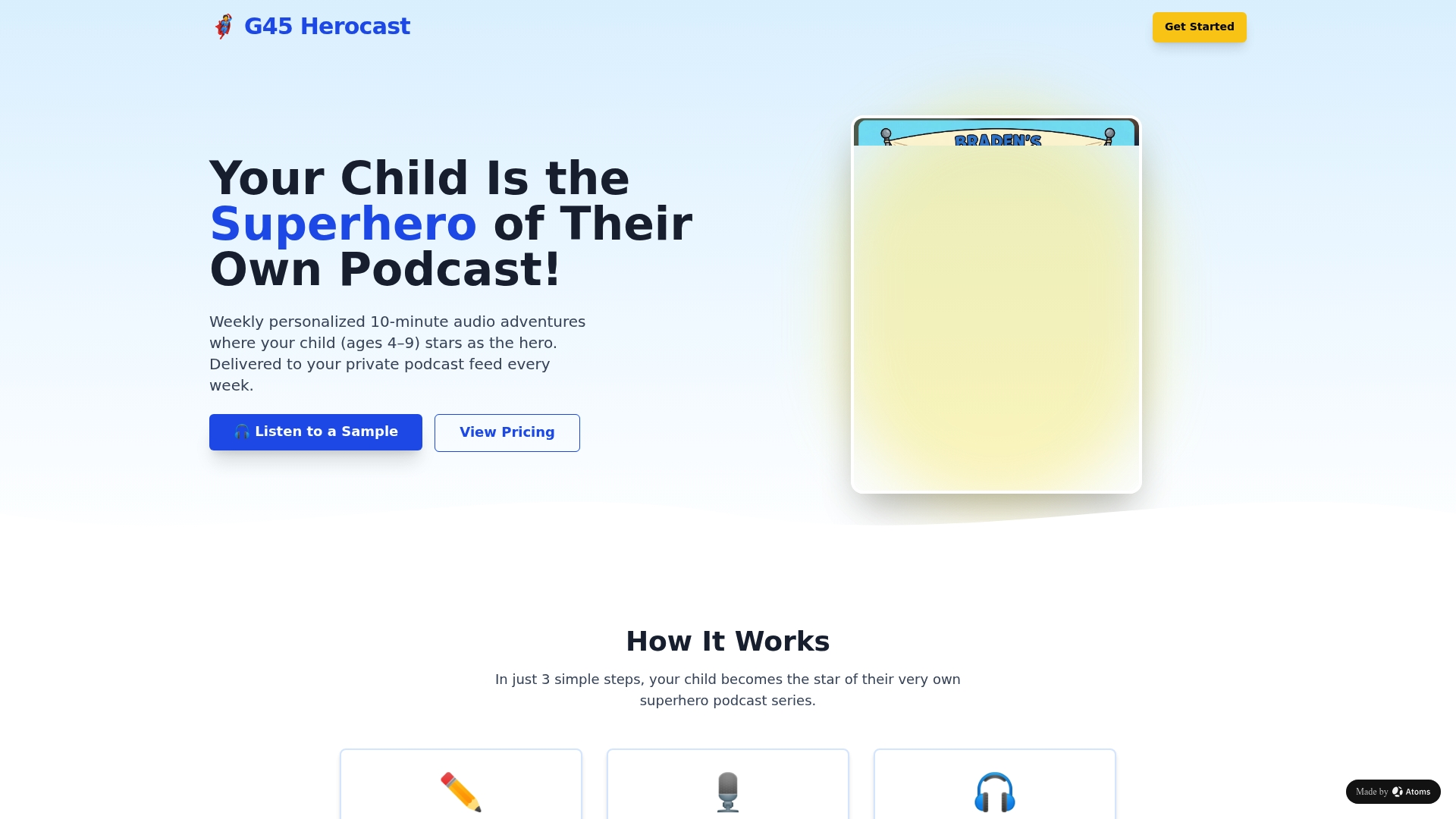
Each week, a personalized superhero episode can be delivered, starring a child by name, age, and interests, straight to a private podcast feed tied to their account, with the technical side managed by the service provider. That's the difference for a parent weighing this against building a private RSS setup from scratch: no host to configure, no token rotation to manage, no support tickets to answer when a feed won't load. You get the finished experience, not the infrastructure project behind it.
If you want a screen-free weekly ritual that turns your child into the hero of their own audio adventure, visit the Bedtime Standard and Grandparent Gift plans to see pricing and gifting options for grandparents who want to send the same experience to a grandchild.
Sources
- What is private podcast hosting and how does it actually work? • Resonate Recordings
- Rss
- How do private Access listeners get access to their content? • Acast Learning Center
FAQ
How Much Does Private RSS Hosting Cost?
Private feed hosting is typically a paid feature layered on top of standard podcast hosting, and pricing varies by provider, sometimes per-subscriber, sometimes by tier, sometimes by storage and bandwidth. There's no single flat rate across the industry, so compare a few hosts against your expected subscriber count before committing.
Is There a Free Way to Host a Private Podcast?
Some hosts offer limited free tiers that include basic private feed features, but full per-subscriber provisioning, bulk invites, and revocation tools generally sit behind paid plans. A free tier can work fine for a tiny pilot group, but expect to outgrow it quickly once your subscriber count climbs.
How Do I Get the RSS Feed for My Podcast?
Your podcast host generates the RSS feed automatically when you publish a show, and you'll find the private version in your host's dashboard once you enable private hosting. For a full walkthrough, our private RSS feed setup guide covers the exact steps most hosts require.
Can I Share My Podcast With Others Without Making It Public?
Yes. A private podcast feed is built exactly for this, letting you distribute episodes to a chosen group without listing the show in any public directory. Per-subscriber feeds are the most secure version of this, since each listener gets a unique URL you can revoke individually.
Does G45-hero-cast Handle Private Feed Setup for Me?
Yes. G45-hero-cast delivers each personalized episode through a private podcast feed already provisioned for your subscription, so there's no hosting or RSS setup for you to manage. Pricing and plan details are listed on the Bedtime Standard and Grandparent Gift page.