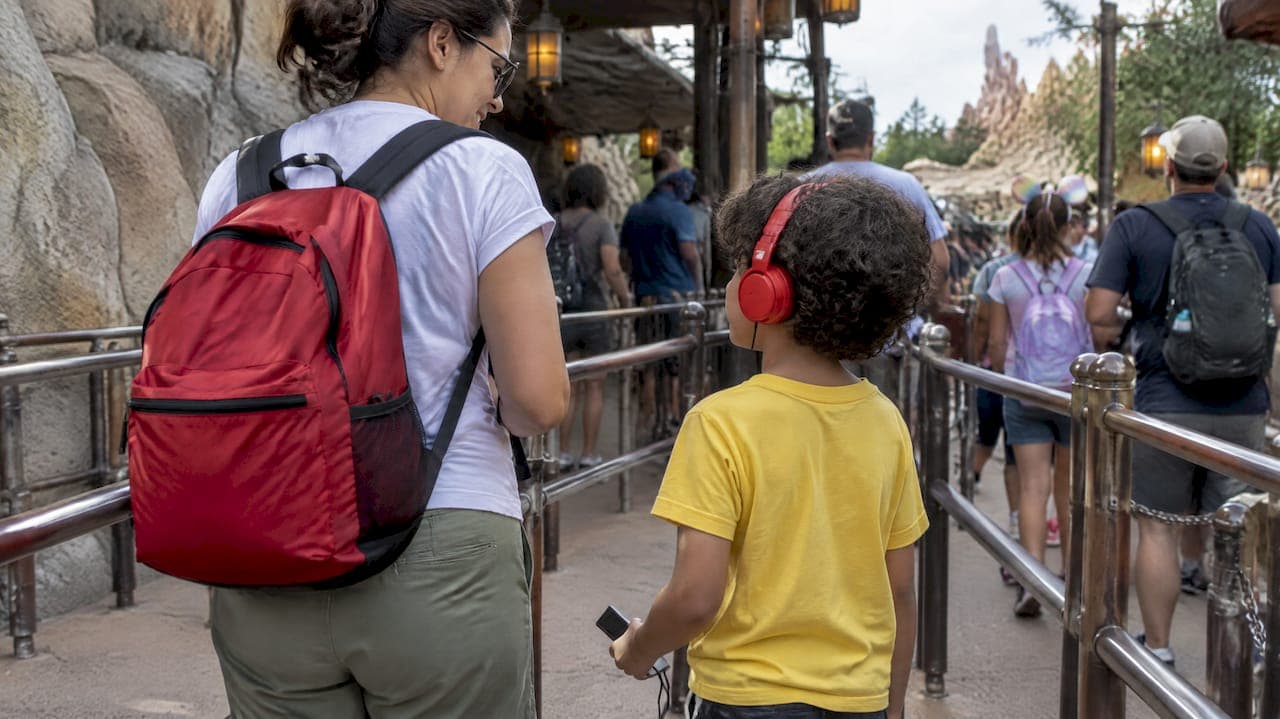
Yes, you can enjoy Disney without a tablet, and plenty of families do it every week. Do this one thing first: handle ticketing and park access before you arrive, so admission runs through a physical band, card, or printed confirmation instead of a phone screen. Expect a few trade-offs in convenience, but nothing that outweighs a day spent looking at your kids instead of a screen.
TL;DR:
- Pre-link all tickets and reservations to physical access methods, such as MagicBand+ or printable confirmations, to minimize phone use inside the park.
- Use guest relations to manage reservations, rebook Lightning Lane, or verify tickets if electronic systems fail or devices are lost.
- Pack a small, quiet, and inexpensive activity kit for each child to keep them entertained during lines without screens.
- Download or pre-arrange personalized audio stories to replace screen time during wait periods and car rides.
- Focus on flexible scheduling, arriving early or late, and simple meeting points to handle unexpected delays without relying on digital tools.
Table of Contents
- Your pre-trip checklist for a tablet-free park day
- Setting up MagicBand+, MagicMobile, and Lightning Lane before you go
- How to handle lines, rides, and schedule changes on the ground
- Screen-free kit ideas that actually hold up in line
- When patience runs out: meltdowns and realistic expectations
- A screen-free audio option that works in line and at bedtime
- Why we try for one screen-free day, not a whole screen-free trip
- Make screen-free waits easier with personalized audio
- FAQ
- Sources
Your pre-trip checklist for a tablet-free park day
Most of the work for a screen-free visit happens before you leave home, not once you're standing in line. Finish these steps the week before you travel and you'll rarely need to pull out a device once you're through the gates.
- Link every park ticket to your My Disney Experience account and order a MagicBand+ for each family member, or print paper confirmations as backup.
- Buy any Lightning Lane or Disney Genie+ selections you can secure in advance, and make peace with standby lines for everything else.
- Pack a compact, low-tech activity kit: a small drawstring bag per kid with two or three quiet activities and a spare set of batteries if anything needs them.
- Assign roles before you walk in: decide who carries the physical passes, who holds the paper park map, and who the designated meeting-point leader is if anyone gets separated.
- Write down ride reservation times and dining confirmations on a small card or sticky note so nobody needs to check an app to remember them.
None of this takes more than an hour, and it's the difference between a relaxed day and a frustrating one spent hunting for a signal.
Setting up MagicBand+, MagicMobile, and Lightning Lane before you go
Several Disney systems are built around a smartphone by default, but each one has a workaround that lets you skip the screen once you're in the park.
- MagicBand+ functions as your park ticket, PhotoPass link, and Lightning Lane tap point, and it can also charge purchases, but all of that has to be linked in your My Disney Experience account before your trip. Order it ahead of time to get free shipping and personalization.
- Disney MagicMobile turns an Apple or Android phone into your park pass, but it only works because it lives on a smart device, which makes it the opposite of a screen-free tool. If a family member's device is lost or dies, Guest Relations can manually verify tickets and reservations using a physical band or card instead.
- Lightning Lane and Disney Genie+ selections are usually made in the app, and for select attractions using a virtual queue, the My Disney Experience app is required to join, with standby unavailable while that queue is active. Pre-purchasing what you can the night before or at park opening cuts down on how often you need to touch a phone mid-day.
- Printed confirmations for dining and ride times work as a reliable backup, and they matter for timing too.
One planning detail changes your whole morning: Early Theme Park Entry gives resort guests 30 minutes of extra park time, but it requires valid admission plus a MagicBand, Key to the World card, or MagicMobile pass, so decide which one your family is using well before your alarm goes off.
How to handle lines, rides, and schedule changes on the ground
Once you're in the park, most of what felt like it required a phone can be handled by a cast member instead. Guest Relations locations, found near each park entrance, can look up your reservations, rebook a Lightning Lane if plans change, and help if a band stops scanning. Think of cast members as your backup app: they have access to the same reservation system you'd check on a phone, and they're faster than fumbling with a screen in a crowd.
- Check posted wait times at ride entrances rather than in an app, and build slack into your day so a longer-than-expected line doesn't derail lunch plans.
- Arrive at park opening or stay through closing when crowds thin out, since both ends of the day naturally mean shorter waits without any digital queue management.
- Pick a simple meeting point, like a specific bench or statue, and make sure every kid can recite it, along with the name on their wristband, in case they get separated.
- Use a "swap and ride" approach for younger kids who can't do a certain attraction: one adult rides while the other waits, then they trade without needing to coordinate through an app.
A folded paper park map, free at the entrance or guest services desk, replaces most of what people use a phone for anyway: finding bathrooms, checking showtimes, or locating the nearest shop.
Pro Tip: Write your meeting point and a backup phone number on each kid's wristband with a permanent marker before you enter the park.

Flexibility matters more than precision here. A line that's unexpectedly long is an opportunity to let a character breeze past, grab a snack, or just talk, not a problem to solve with a wait-time app.
Screen-free kit ideas that actually hold up in line
The best screen-free gear for Disney is small, quiet, and hard to lose. A few proven categories cover most of a day's downtime.
- Busy books, reusable sticker pads, and small magnetic drawing boards pack flat and don't leave crumbs or pieces behind in a stroller bag.
- Audio content, like story podcasts or music, works well through a single pair of shared headphones or a small splitter, giving kids something to focus on during a long wait without a screen in front of their eyes. Our screen-free road trip guide covers how to manage audio playback for travel stretches, and the same approach carries over to line waits.
- Character and attraction scavenger hunts turn standby lines into a game: spot a hidden Mickey, count how many times you see a certain color, or name every character on a nearby mural.
A few packing habits make these options last the whole trip:
- Choose items that are cheap enough to lose without anyone being upset about it.
- Bring a small hand sanitizer pouch, since shared items like sticker pads get touched by multiple kids.
- Rotate two or three items throughout the day instead of handing over everything at once, which keeps novelty working in your favor.
Our screen-free activities guide has a longer list if you want more variety before you pack, and a curated roundup of screen-free toys is worth a look if your kit needs refreshing before the trip.
When patience runs out: meltdowns and realistic expectations
Even a well-planned day hits a wall sometime around hour six. A few fast interventions work better than trying to reason with an overtired kid in a crowded line.
- Step out of line if possible and take a two-minute break somewhere quieter, even just a shaded bench.
- Play a quick redirection game, like naming favorite rides or guessing what's for dinner, to shift focus away from the meltdown trigger.
- Offer a planned snack break rather than an improvised one, since low blood sugar is often the real issue.
- If a situation isn't resolving, head to Guest Relations or a nearby cast member, who are used to helping families regroup.
A screen is a reasonable fallback for a genuinely stuck moment, not a first response. If you use one, treat it as a short reset rather than the default entertainment for the rest of the day. Success on a screen-free day isn't measured by ride count. It's measured by whether your kids remember laughing with you more than they remember waiting.
A screen-free audio option that works in line and at bedtime
Audio fills a gap that physical toys and games can't always reach, especially during long waits or the drive back to the hotel when everyone's tired and talking has run dry. We create weekly personalized superhero podcasts for kids, where each child becomes the hero of their own custom audio adventure, built around their name, interests, and personality. Episodes land in a private podcast feed every Sunday, which means a family can download several ahead of a trip and have them ready without needing a signal in the park.
For travel, downloading episodes the night before means no streaming is needed once you're in line. A small, inexpensive single-use MP3 player preloaded with a few favorites works well for a child too young to manage a phone responsibly, and a simple headphone splitter lets two siblings listen together without arguing over whose turn it is.
A quick wipe-down of shared headphones between uses keeps things sanitary when more than one kid is listening on the same device.

Why we try for one screen-free day, not a whole screen-free trip
A full week without any screen is a tough goal and not always a useful one. What's changed how we travel is picking a single day, usually the slowest one on the itinerary, and committing to it fully: paper map, physical band, no phone out except for photos. That one day tends to produce the memories everyone talks about afterward, not because it was perfectly planned but because nobody was looking down. Start there. Use the checklist, pack the audio and tactile options, and let the rest of the trip be whatever works for your family.
— JG
Make screen-free waits easier with personalized audio
Packing a tactile kit and pre-linking a MagicBand+ solves most of a screen-free day, but the quiet stretches, long lines, car rides, the wind-down before bed, still need something to fill them. Our subscription delivers new personalized superhero episodes built around your child as the hero of their own story, available through monthly or annual options.
During a Disney trip, parents download the week's episodes ahead of time and queue them up on a small player or a shared pair of headphones, so a 40-minute Lightning Lane wait becomes story time instead of screen time. It's a practical way to keep kids engaged without handing them a tablet, and it keeps working long after the trip ends. Check plan details and get your child's first episode at G45-hero-cast.
FAQ
What is the 3/2/1 rule for Disney?
The 3/2/1 rule is an informal planning approach some travelers use, generally referring to spacing major attractions, meals, and rest breaks through the day rather than an official Disney policy. Definitions vary among travel bloggers, so treat it as a loose pacing guideline rather than a fixed rule.
What is the 2pm rule at Disney?
Like the 3/2/1 rule, the "2pm rule" isn't an official Disney guideline, but it typically refers to using early afternoon, when crowds often thin before the dinner rush, to tackle popular attractions. It's a crowd-timing strategy some experienced visitors use rather than a park policy.
What is the "no sad kids" rule at Disney?
This isn't an official park rule either. It's a phrase some parents use informally to describe prioritizing a child's mood and energy level over finishing a planned itinerary, which fits naturally with a screen-free approach that leans on flexibility over a packed schedule.
What is the emptiest day at Disney World?
Crowd levels shift based on season, school schedules, and special events, so there isn't one fixed emptiest day that holds true year-round. Checking a park's posted hours and planning around off-peak months is a more reliable approach than targeting a specific day of the week.
Do I need a smartphone to enter the parks at all?
No. A MagicBand+, Key to the World card, or a printed ticket confirmation all work for park entry once properly linked to your My Disney Experience account before your trip. Disney MagicMobile is a phone-based option, but it's one choice among several, not a requirement.