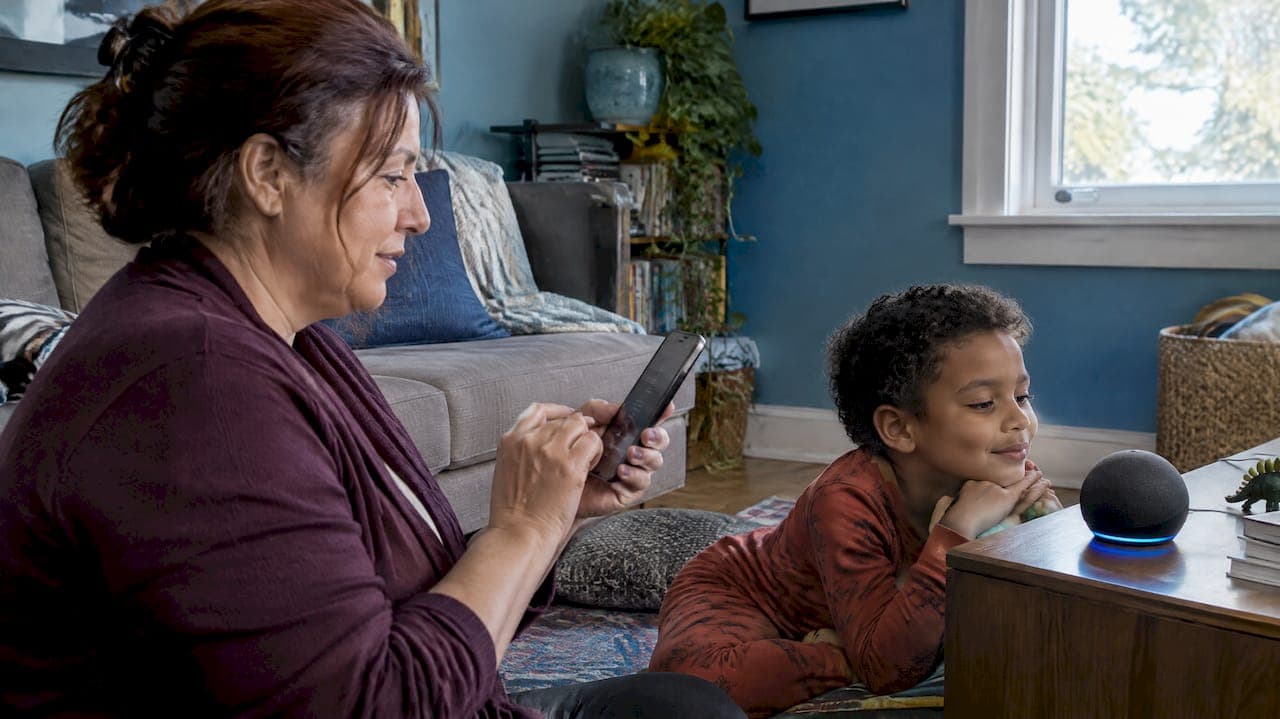
Amazon Music does not support private podcasts. It plays public shows from its own catalog, but it has no way to add a private RSS feed, so a private feed will not play there. The fix is simple: open the private feed in a podcast app that accepts custom feeds, then play it on any speaker you like from that app. This guide explains why Amazon Music behaves this way, which apps to use instead, and how a private feed like the one we deliver to children every Sunday gets to your child's ears.
TL;DR
- Amazon Music is listed as an app that does not support private or unlisted podcasts, so a private feed will not work there.
- The reason is how the platform is built: Amazon Music does not let listeners subscribe to an RSS feed, and its podcast submission needs a public feed.
- Use a podcast app that lets you add a feed by URL, then cast, Bluetooth or plug in to your speaker.
- Our weekly superhero podcasts for children ages 4 to 9 arrive every Sunday by email and play through a private feed in the app you choose.
Table of Contents
- Why a private podcast won't play on Amazon Music
- Can you listen to regular podcasts on Amazon Music?
- What to use instead of Amazon Music
- How a private feed gets from our inbox to your child
- Troubleshooting: the show won't appear
- Our perspective
- Start your child's superhero podcast
- A quick checklist before bedtime
- FAQ
- Sources
Why a private podcast won't play on Amazon Music
A private podcast is an ordinary podcast feed with one difference: the web address is not listed in any directory. Only people who have the link can add it. That link is the whole security model.
Amazon Music works the other way around. Its help pages describe podcast access across the Amazon Music app, web player, Android, iOS, Echo and other Alexa-enabled devices, but they describe finding shows in Amazon's catalog. They do not list a feature for adding a private RSS podcast feed. Reporting on the launch of the service noted that Amazon Music does not let users subscribe to an RSS feed, and that remains the practical problem for anyone holding a private link.
Alexa works the same way. Its documentation describes asking for podcasts by show, episode, genre, topic or provider, and it offers no step for linking a private feed. So if you tell an Echo to play a private show, it has nothing to look up.

What this means for creators who submit to Amazon
If you have ever wondered whether you could hide a show inside Amazon Music, the answer is no, and the submission rules explain why. Amazon's route for podcasters is Amazon Music for Podcasters, where you add or claim a show and Amazon verifies ownership using the email address in the RSS feed. The creator agreement asks for content through an XML-based RSS feed or other data-feed procedures Amazon provides. Submission guides add that the feed must be valid, publicly accessible and carry at least one live episode. One hosting provider also tells creators to use a public RSS feed rather than a personal feed with access credentials.

Putting a private feed through that process would make it public, which defeats the purpose. For a child's personalized story with their name, their pet and their favorite things, that is the last thing a parent wants.
Can you listen to regular podcasts on Amazon Music?
Yes. Amazon states that podcast episodes are available on Amazon Music Free, Prime, Standard and Unlimited. Its plan comparison lists podcasts as a feature of both free and paid tiers, and when Amazon launched podcasts in 2020 it said they were available across all service tiers at no additional cost.
So the app is fine for public shows. The limit is only about feeds that are not in its catalog.
Does it cost anything to be on Amazon Music?
For creators publishing a public show, one hosting platform's documentation says Amazon Music charges no platform fees. For listeners, podcasts come with the free tier. Neither point helps with private feeds, because the barrier is not price. It is that the feature does not exist.
What to use instead of Amazon Music
You need a podcast app that accepts a feed address you paste in, or one that supports sign-in for member-only shows. Transistor's guide says listeners must use a compatible app that allows manually adding private RSS feeds or supports authentication. Patreon publishes a similar list of apps where a custom audio RSS link works, and it also names Amazon Music among the apps without authentication support.
Here is how the common choices fit a family:
| What you have | Easiest route | Our walkthrough |
|---|---|---|
| iPhone or iPad | Add the feed by URL in Apple Podcasts | Apple Podcasts setup |
| Android phone or tablet | Add the feed in a compatible Android app | Adding a private podcast on Android |
| Phone with Spotify | Check how Spotify handles private feeds first | What actually works on Spotify |
| Castbox user | Add the feed by URL | Castbox setup |
| Smart speaker in the kitchen or bedroom | Play from your phone's app and cast | Google Home steps |
Pick whichever app already lives on your phone. You only add the feed once, and each new episode shows up on its own afterward.
What about the Echo in my child's room?
This is the question we hear most from grandparents and parents who already own an Alexa speaker. Since Alexa cannot load a private feed, the practical workaround is to let the phone or tablet do the finding and let the speaker do the sound. Pair the phone to the Echo over Bluetooth, start the episode in your podcast app, and the story plays through the Echo's speaker. A small Bluetooth speaker works the same way, and so does a tablet with headphones.
That keeps bedtime screen-free in the way that matters: once you press play, the child is not looking at anything.
How a private feed gets from our inbox to your child
We create a customized superhero podcast for each child ages 4 to 9 and deliver it every Sunday to the email address you give us. The email leads to a private podcast feed made for your family. You add that feed to your podcast app once, and the week's episode appears there.
The steps look like this:
- Open the Sunday email on the phone or tablet you use for podcasts.
- Copy or tap the private feed link in the message.
- Choose your podcast app and look for the option to add a show by URL or RSS feed.
- Paste the link and confirm. The app shows your child's show.
- Press play, or send the sound to a speaker over Bluetooth or casting.
If you want the longer technical picture, how a private podcast works from feed to your child's ears walks through it, and private RSS podcasts for listeners covers subscribing, keeping the link safe and fixing common hiccups.
Keeping the link private
The address works like a house key, so treat it that way. Share it with the people who need it, such as a grandparent who plays the episode during a visit, and keep it out of social posts and public group chats. If you are wondering how creators handle this at scale, our posts on private podcast feeds for creators and private RSS feed setup go deeper, and sharing a private feed with many listeners covers the larger-audience case.
Troubleshooting: the show won't appear
Most problems come down to one of a few things.
- You pasted the link into Amazon Music. There is nowhere to paste it. Switch to one of the apps above.
- The app says the feed is invalid. Copy the full link again from the email, with no spaces at either end.
- The episode is missing after the first add. Pull down to refresh the show, or wait a few minutes for the app to check the feed.
- The speaker says it can't find the show. Voice assistants search public catalogs. Start playback in the app and send the audio to the speaker instead.
If none of this fixes it, reply to the Sunday email and we will help you get set up.
Our perspective
We built this around a simple belief: a child listens differently when the story is about them. A generic story with a name dropped in does not do that. Each of our episodes is individually written and produced to weave in the child's real-life details and interests, so the hero feels like them.
That is exactly why the feed has to stay private. A story that mentions your daughter's soccer team or your son's best friend belongs to your family, not to a public catalog. Platforms built around public discovery, like Amazon Music, are designed for a different job, and that is fine. We chose a private feed because it matches what we deliver.
We also think the delivery method is part of the gift. The episode arrives on Sunday, you add it once, and then the whole week has something to look forward to. It is a fully screen-free option for families trying to cut back on devices, and a reason to sit together at bedtime or on a car ride.
JG
Start your child's superhero podcast
If you want a weekly episode where your child is the hero, this is the plan to start with. Bedtime Standard is $99 per month. For grandparents who want to give a year of stories, Grandparent Gift is $999 per year. Both deliver to the private feed described above, and both work in whichever podcast app your family already uses.
See both plans and sign up at G45-hero-cast. Grandparents can also set it up for a grandchild, and families with more than one child can ask about sibling options.
A quick checklist before bedtime
Before the first Sunday episode, run through this short list:
- Decide which podcast app you will use and make sure it is up to date.
- Choose the speaker: phone speaker, Bluetooth speaker, Echo paired over Bluetooth or a tablet with headphones.
- Add the feed once and play the first few seconds to confirm sound.
- Tell any grandparent or caregiver which app holds the feed, so they can play it without searching Amazon Music or another catalog.
- Save the Sunday email so the link is easy to find if you change phones.
A few minutes of setup means the first listening is a surprise for your child, not a troubleshooting session for you.
FAQ
Can I add a private podcast to Amazon Music?
No. Amazon Music is listed among the apps that do not support private or unlisted podcasts, and it has no field for adding a private RSS feed. Use a podcast app that accepts a feed URL instead.
Why can't I play a private podcast on Amazon Music or Alexa?
Both work from Amazon's own catalog of public shows. Amazon's documentation describes finding podcasts by show, episode, genre, topic or provider, and it gives no procedure for linking a private feed. Play the episode from another app and use Bluetooth to send it to the speaker.
Can I put my own podcast on Amazon Music and keep it private?
Not really. Amazon's submission process expects a public RSS feed, and ownership is checked through the email address in that feed. Submitting a feed makes the show findable, so a private family show should stay off Amazon.
Do I need a paid Amazon Music plan to hear regular podcasts?
No. Amazon says podcast episodes are available on its free tier as well as on its paid plans. A paid plan is not needed for public shows, and it will not unlock private feeds either.
Sources
- Which podcast apps support private podcasts? (Transistor)
- Are Podcasts Available on Amazon Music? (Amazon Help)
- Compare Amazon Music Plans and Subscription Features (Amazon Help)
- All you need to know: podcasts in Amazon Music (Podnews)
- Amazon Music launches podcasts (Amazon Press Center)
- Alexa Entertainment (Amazon)
- Submitting your show to Amazon Music (Spotify for Creators)
- Amazon Music conditions (Podnews)
- How to Submit a Podcast to Amazon Music & Audible (Riverside)
- Submitting to Amazon Music / Audible (Podigee)
- Submit your show to Amazon Music (Triton Digital)
- Which podcast apps will my custom audio RSS link work with? (Patreon)